SX-3000 Standalone Integrated Media Block™ with
Portable Storage/ Enterprise Storage User Manual
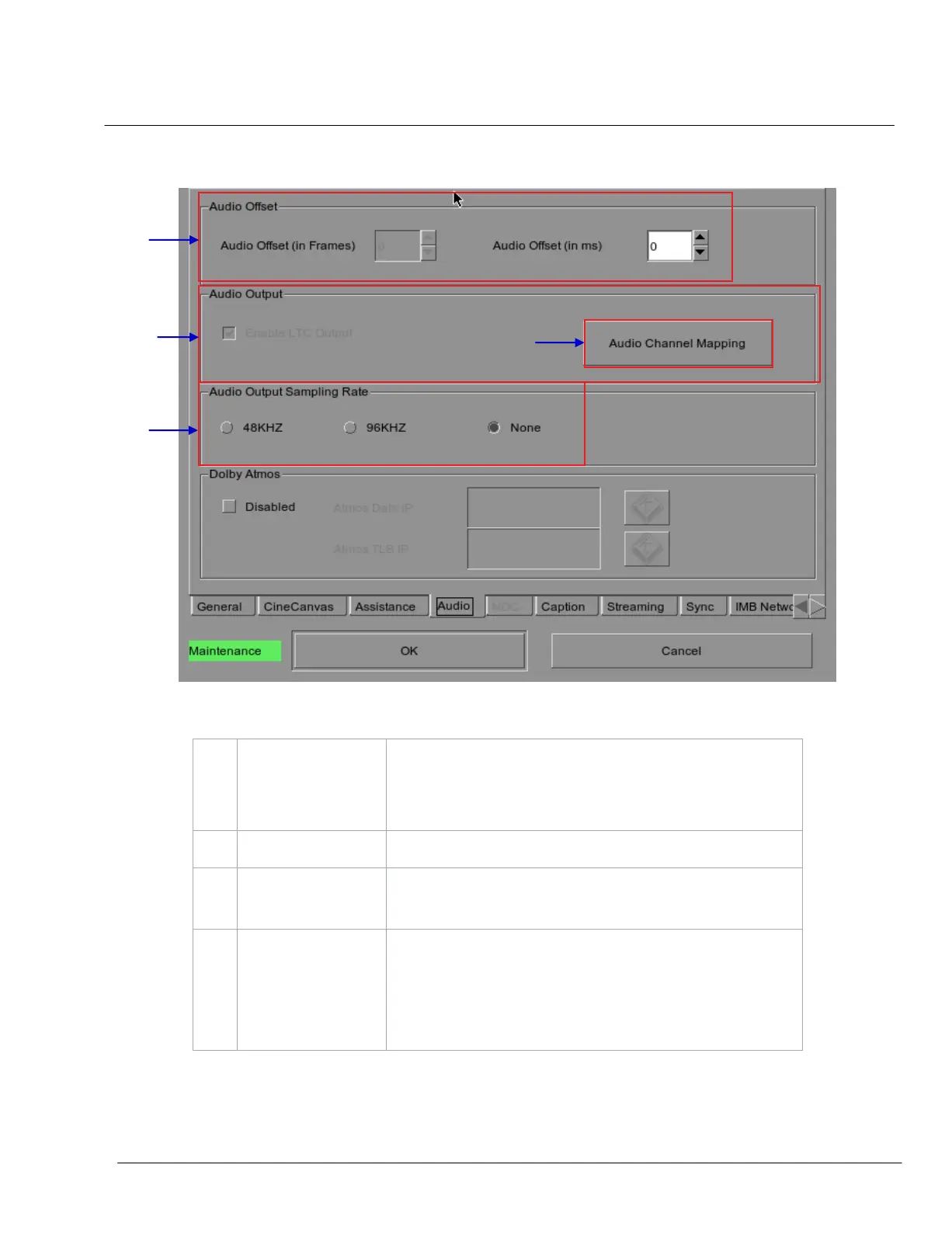
2.3.4.4. Audio Option
Figure 9 Audio option.
Specify the audio delay to make the video and audio in sync. ‘+x’ will
move the audio x frames forward such that the audio comes earlier
than before. ‘-x’ will delay the audio by x frames such that the audio
comes later than before.
Enable Linear Time Code (LTC) output on audio channels 15 and 16.
Use the audio channel mapping interface to map content audio
channels to different audio output channels.
[Audio Output
Sampling Rate]
Change audio output sampling rate. Output audio sampling rate can be
fixed at 48kHz or 96kHz for all content, or it can match the content’s
audio sampling rate (option ‘None’). If the output sampling rate is set to
a fixed value (48kHz or 96kHz), content audio is re-sampled if it does
not match the output sampling rate.



 To Next Page