EasyManua.ls Logo

GDC SX-3000 - Scheduler Menu

GDC SX-3000
160 pages
Print Icon
To Next Page IconTo Next Page
To Previous Page IconTo Previous Page
Loading...
2. SMS
- 18 -
April 20, 2015
SX-3000 Standalone Integrated Media Block™ with
Portable Storage/ Enterprise Storage User Manual
2.3.3. Scheduler Menu
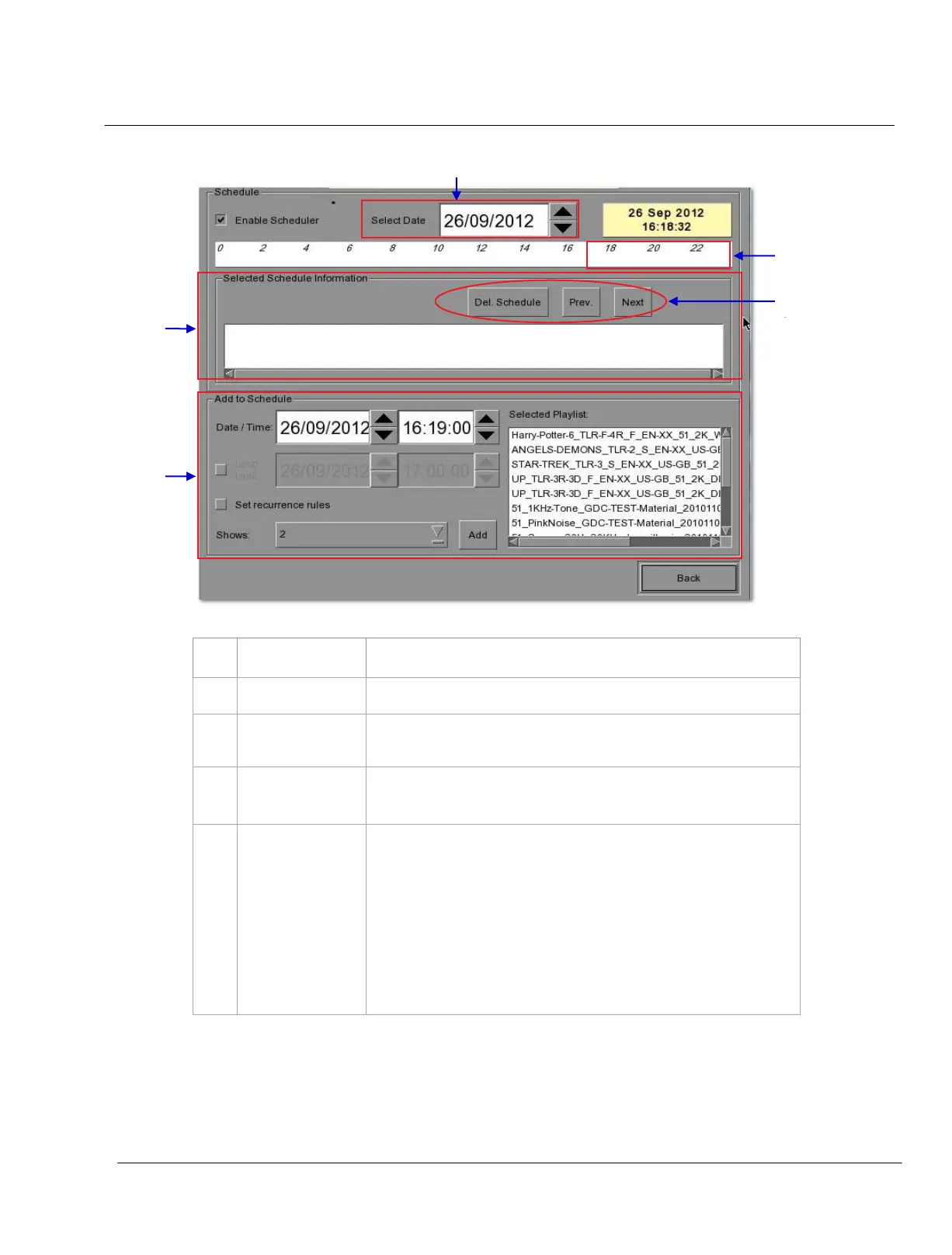
Figure 5 Scheduler menu.
1
[Select Date]
Specifies the date and time of the schedule.
2
[Timeline]
Displays shows
scheduled
on a 24-hour timeline for the date selected in (1).
3
[Selected Schedule
Information]
Displays information such as name, time and duration of the selected
show schedule.
4
[Delete Schedule]
[Previous], [Next]
Deletes the currently selected show schedule.
Navigate show schedules by going forward and backward one at a time.
5
[Add to Schedule]
(a) Select the playlist to be scheduled. The contents of the selected
playlist will be displayed in the “Selected Playlist” window
.
(b) Select the time for the scheduled show
.
(c) To loop the show until a certain time, check
Loop until and select
the time.
(d) If the schedule is to be repeated every day or week, check
Set
recurrence rules
’.
(e) Press the
Add button. A dialog will pop up for specifying the
recurrence rules if it was checked.

1
2
3
4
3
5

Table of Contents

Other manuals for GDC SX-3000