SX-3000 Standalone Integrated Media Block™ with
Portable Storage/ Enterprise Storage User Manual
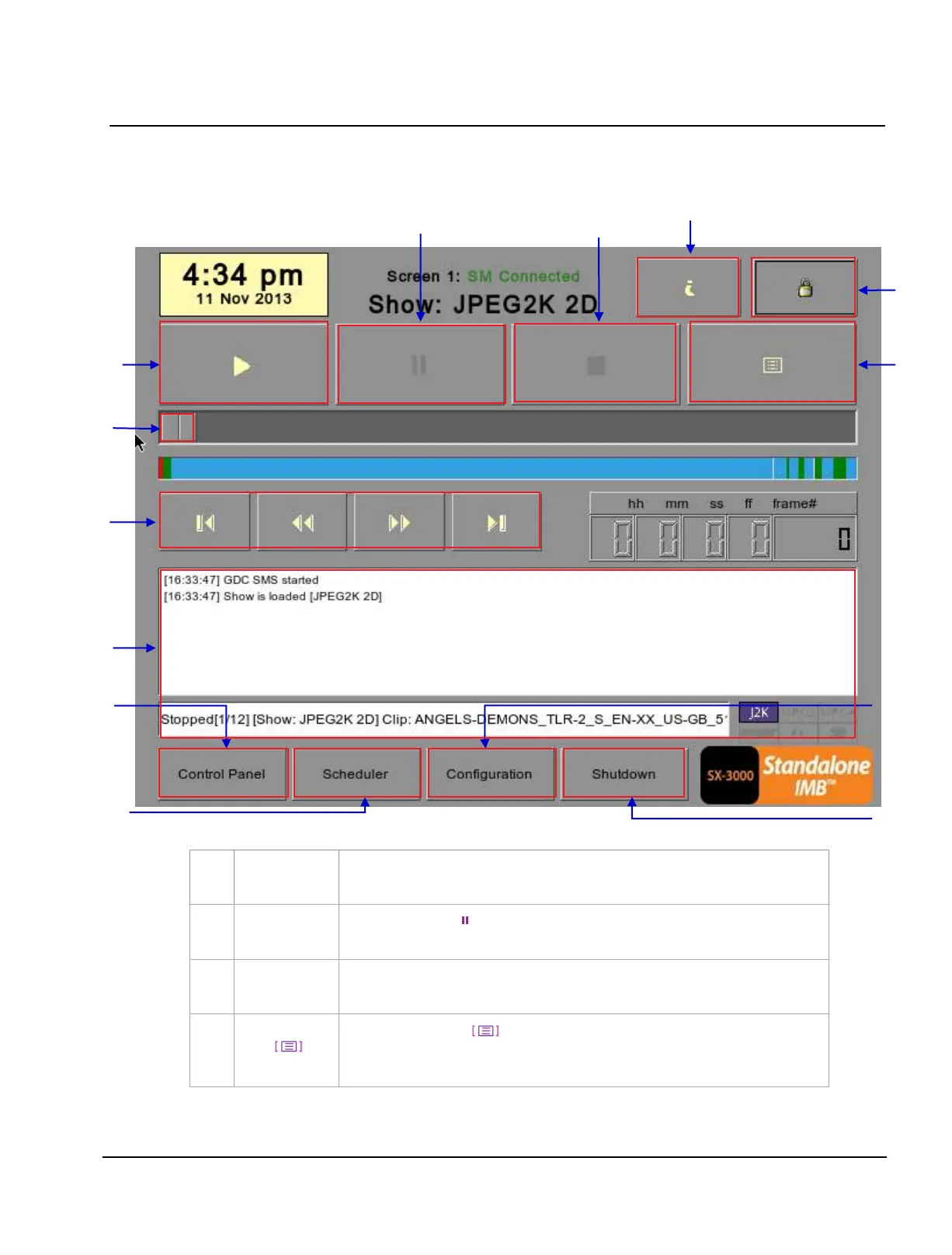
2.3. Understanding the SMS Interface
2.3.1. Main Menu
Figure 3 SMS main menu.
Play button. The [►] button starts playback when pressed, and is disabled
when the system is in paused mode.
Pause button. The [ ] button is enabled when the system is in playing or
pause mode. To resume from pause simply hit the Pause button again.
Stop button. The [■] button is enabled when the system is in playing mode, and
stops playback when pressed.
Playlist button. Press to open the Playlist menu to create a playlist. For
more information about the Playlist menu, please refer to Section 2.3.2. Playlist
Menu further below
.



 To Next Page