SX-3000 Standalone Integrated Media Block™ with
Portable Storage/ Enterprise Storage User Manual
2.3.5. SNMP Configuration
2.3.5.1. Introduction
The SNMP feature is an option on the SX-3000 that enables the use of SNMP to monitor the IMB. The
SNMP interface contains many useful SNMP traps and is easy to configure.
2.3.5.2. Accessing the SNMP Configuration Interface
Press
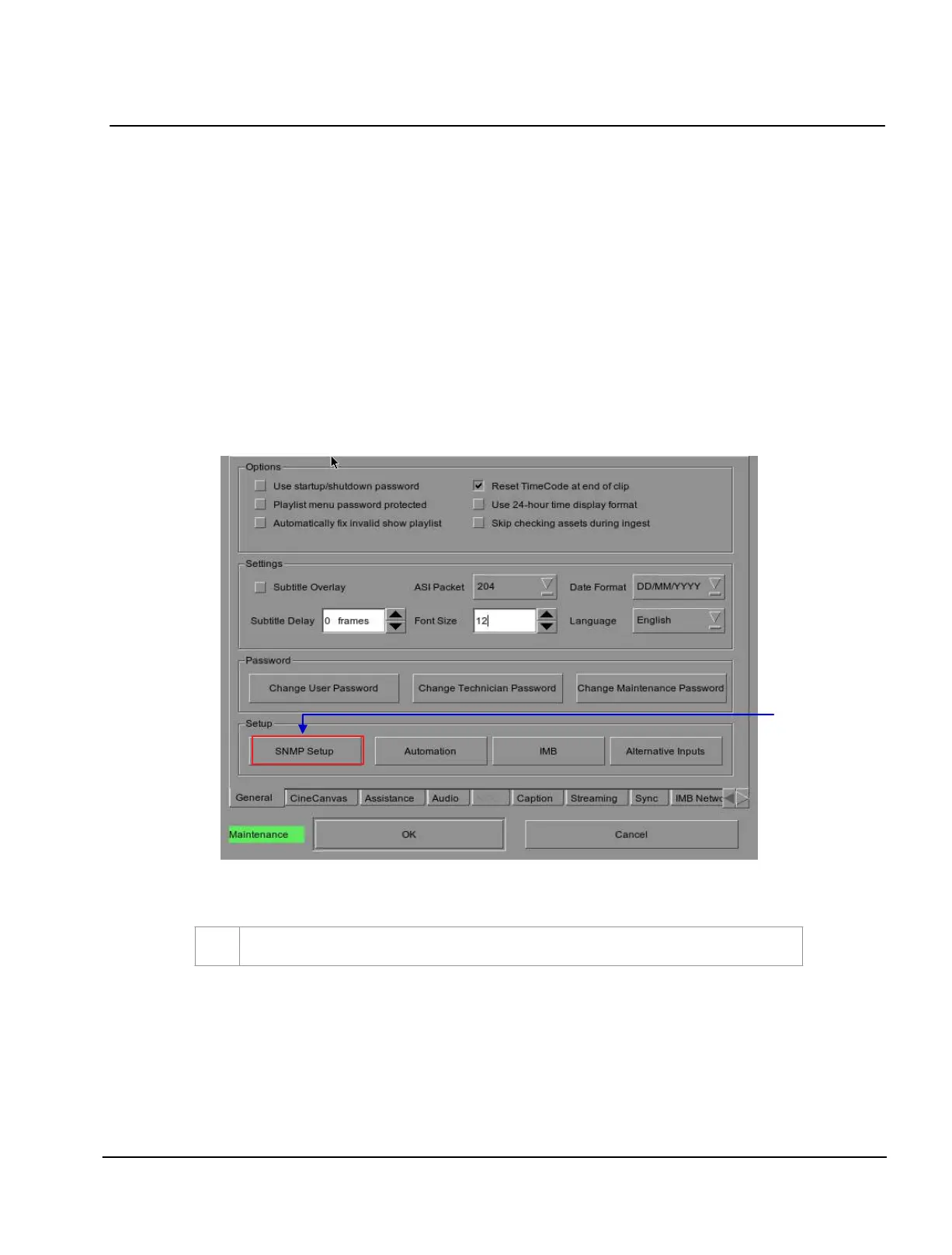
Configuration to switch the display from the SMS interface to the Configuration menu as seen in
Figure 13.
Figure 14 Configuration [General]
1
On the
Configuration menu, select SNMP Setup. A new window appears as seen in Figure 14
.



 To Next Page