SX-3000 Standalone Integrated Media Block™ with
Portable Storage/ Enterprise Storage User Manual
2.4.1.2. Creating a Playlist
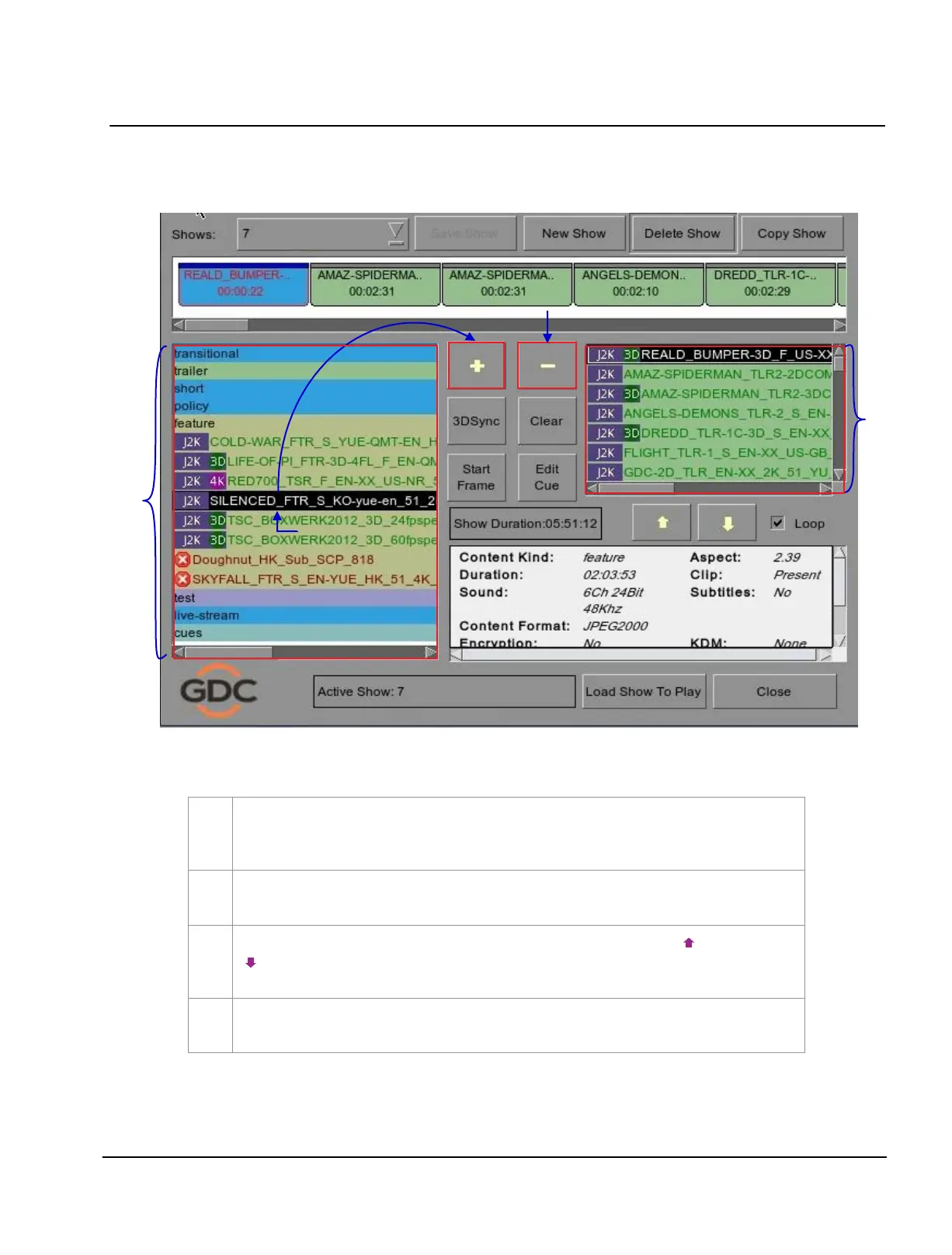
Figure 29 Playlist menu.
On the
Playlist menu, all compositions stored are listed in the Content column on the left.
The content is shown in alphabetical order grouped by type [Trailer
,
Feature, etc.].
Available automation cues are listed under ‘cues’.
Select the composition to add to the playlist and press
[
+
]. Repeat the same step to add other
compositions (e.g. trailers or advertisements) to the playlist.
Compositions in the playlist are shown in the Playlist column on the right. Use
[ ] (move up) and
[
] (move down) to change the order of compositions in the playlist. The order of the
compositions in the playlist may also be changed by dragging their icons in the timeline display
.
You can remove compositions from the
Playlist column by selecting the clip that you want to
remove and pressing
[
-
].



 To Next Page