SX-3000 Standalone Integrated Media Block™ with
Portable Storage/ Enterprise Storage User Manual
2.9. Shutdown/Restart Application
2.9.1. Shutdown or Restart
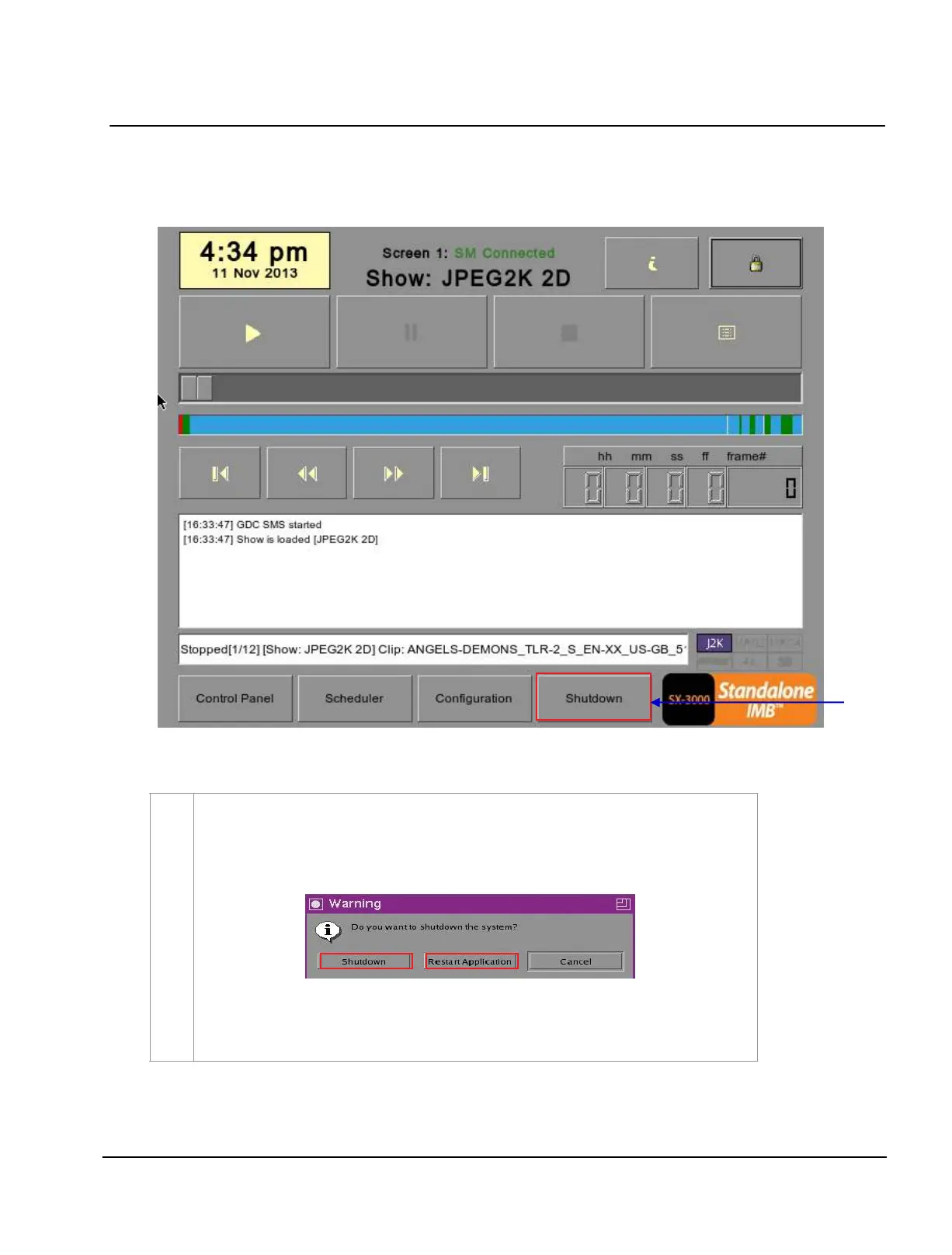
Figure 47 Shutting down the system
1 On the
Main menu, when the Shutdown button is pressed, the system will prompt
the user to
select shutdown or restart application. Restarting the application will not
reboot the IMB. It will only restart the software without affecting the hardware.
allow some time for the IMB to restart the application or shutdown properly
.
If the
Use startup/shutdown password option on the Configuration/General menu
is enabled, the system will prompt for a password before it shuts down.
Please enter the Technician or Maintenance Access password.



 To Next Page