SX-3000 Standalone Integrated Media Block™ with
Portable Storage/ Enterprise Storage User Manual
4.2.3. Ingesting KDMs
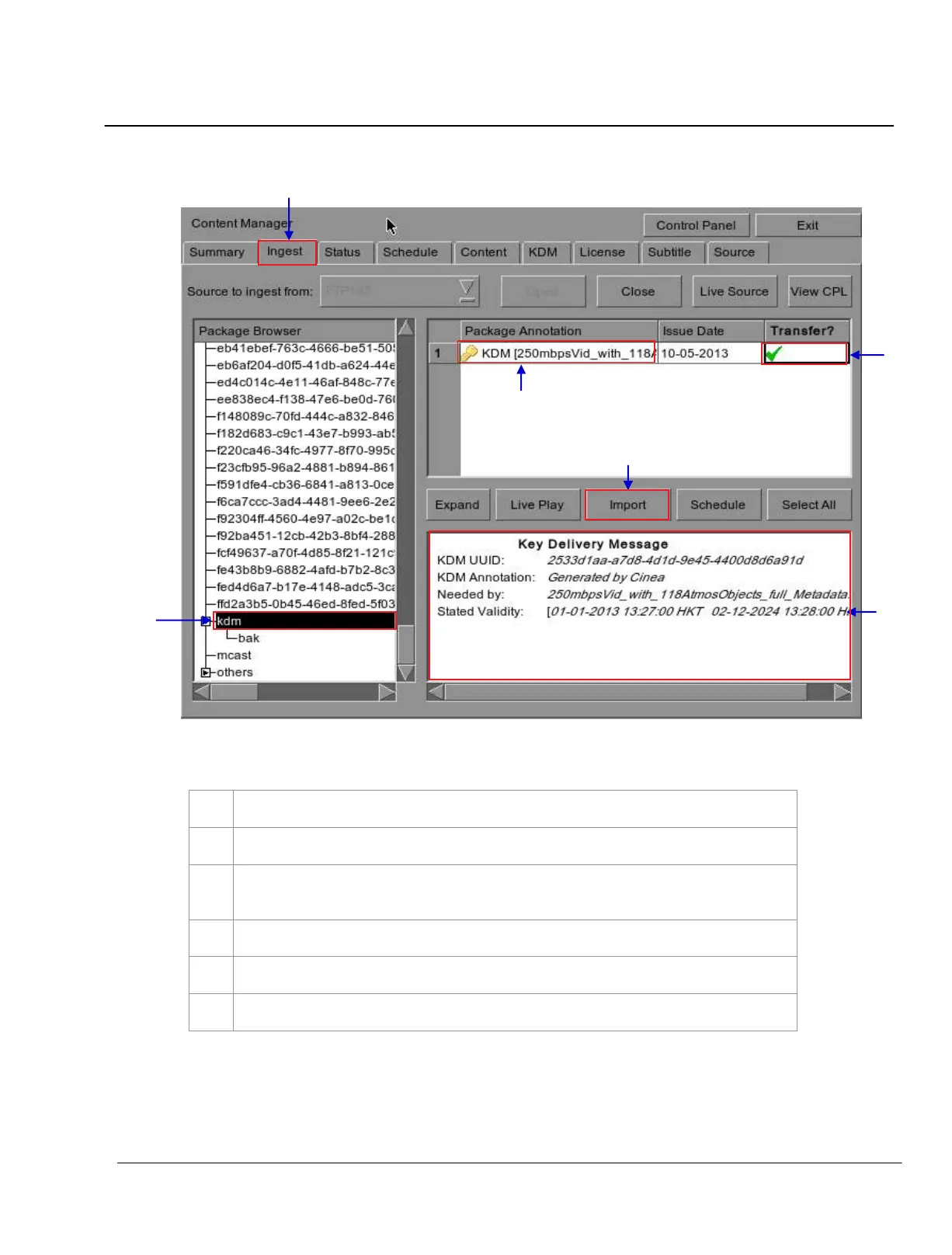
Figure 59 Ingesting KDM from a directory in the selected source.
Select the directory in the selected source where the KDM is located.
Shows the KDMs present in the selected directory that are valid for this IMB.
Click under the
Transfer column to select the KDM you wish to download. A green check
indicates the selected KDM.
Shows the details of the selected KDM, including target, CPL, and date of validity
.
Press
Import to start the import of the KDM. The green check will change to Queued
.
When done selecting the KDM, press
Close to close the Package Browser
.



 To Next Page