SX-3000 Standalone Integrated Media Block™ with
Portable Storage/ Enterprise Storage User Manual
4.2.6. Deleting Content
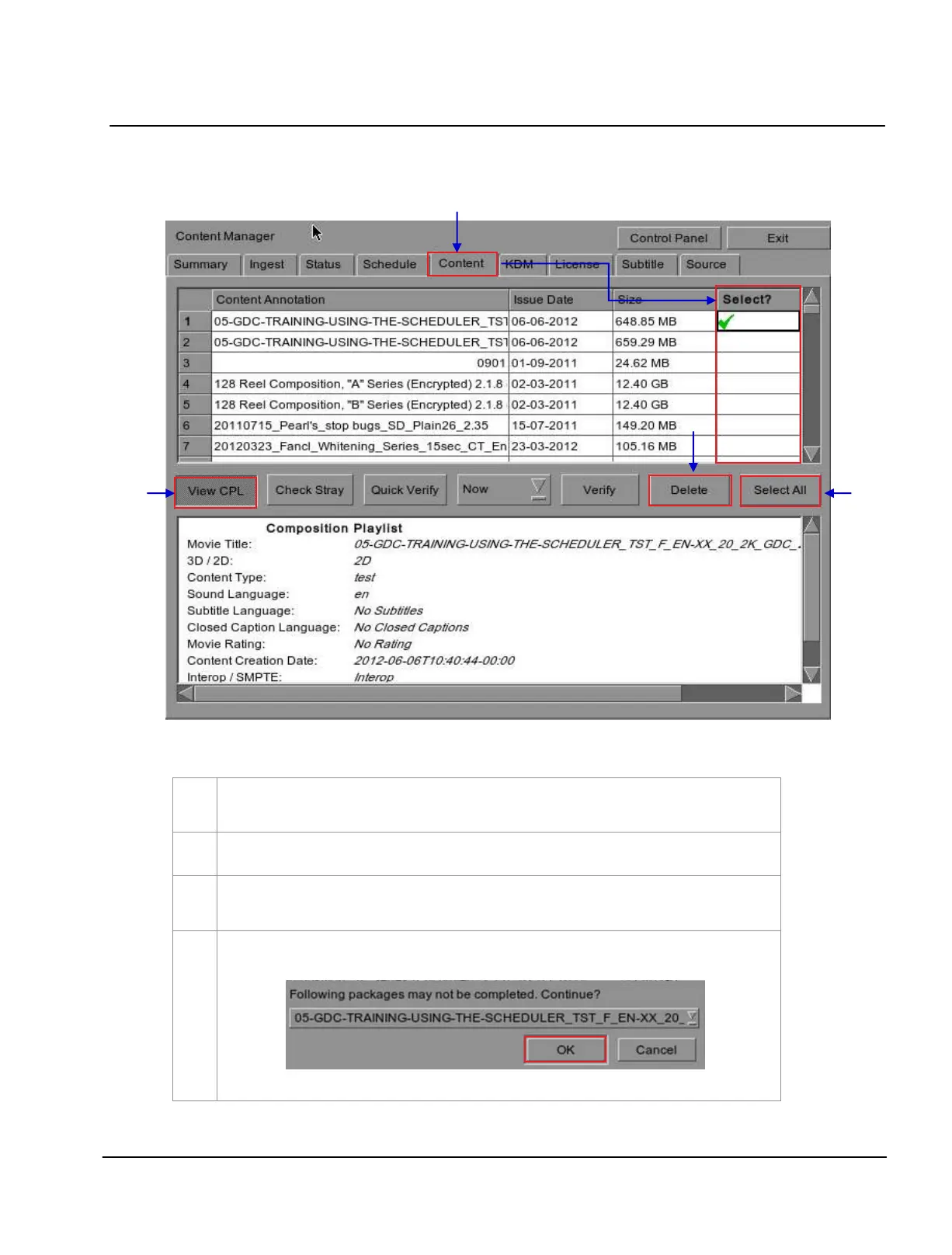
Figure 62 Deleting a downloaded package or CPL
To delete a package or CPL, go to
Content menu and click under the Select column opposite
the package or CPL you want to delete. A green check
indicates the selection.
Click
View CPL to toggle between the package and CPL lists displayed in the content menu.
You can select all by clicking the
Select All button, and deselect by clicking the Deselect All
button.
Press
Delete to delete the selected package or CPL. A small window pops up to confirm the
deletion of the package.
Press
OK to confirm.



 To Next Page