SX-3000 Standalone Integrated Media Block™ with
Portable Storage/ Enterprise Storage User Manual
3.5. Shutting Down the System
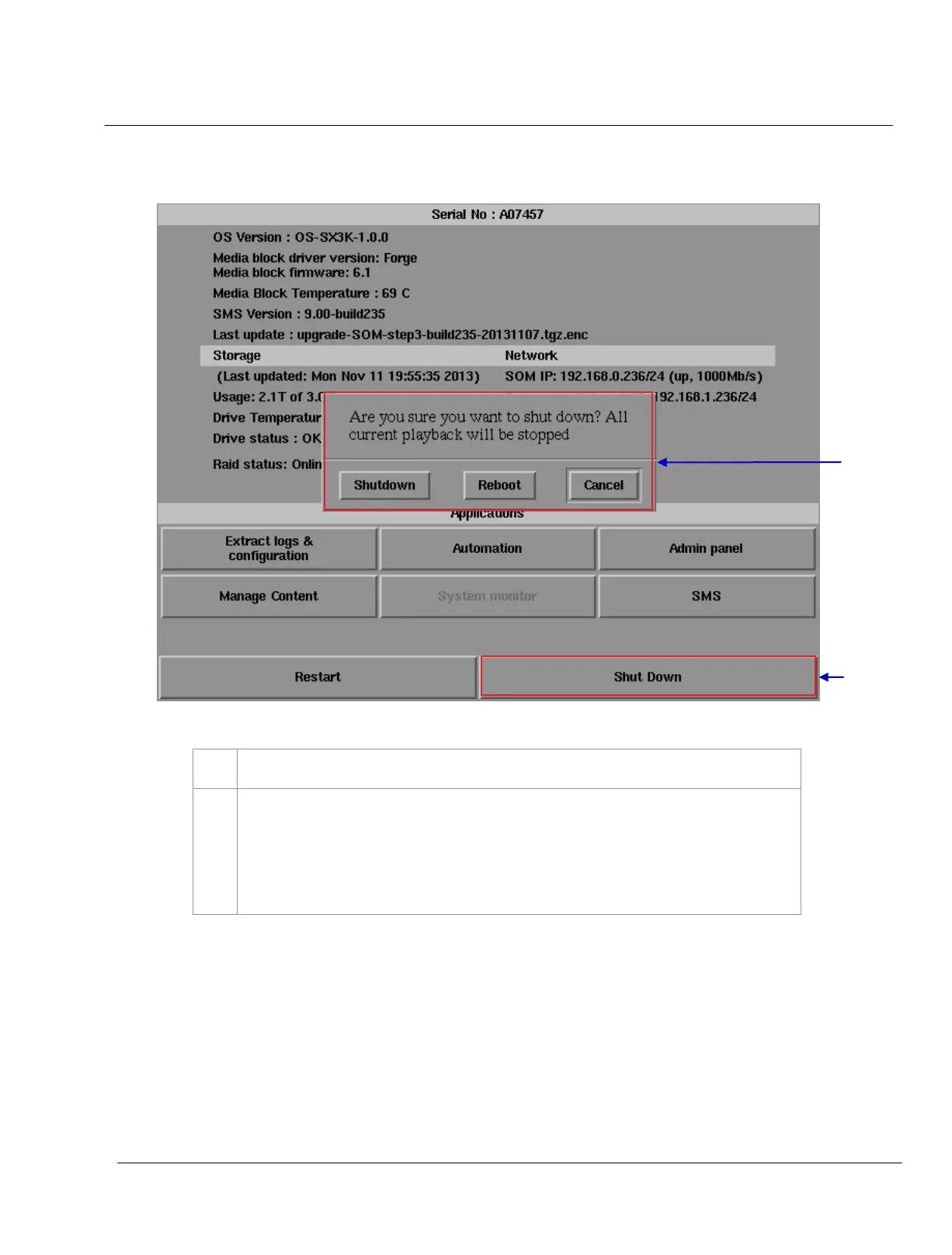
Figure 54 Shutting down the system.
Select
Shutdown on the Control Panel menu.
A small window appears as seen in Figure 54. Select
Shutdown to continue shutdown of IMB, or
Cancel to cancel shutdown of IMB. All current playback will be stopped upon shutdown of the
system.
WARNING: If current playback is still running in the background, it will be terminated once the
IMB is shutdown. Please use with CAUTION
.



 To Next Page