SX-3000 Standalone Integrated Media Block™ with
Portable Storage/ Enterprise Storage User Manual
2.3.5.3.2. Storage
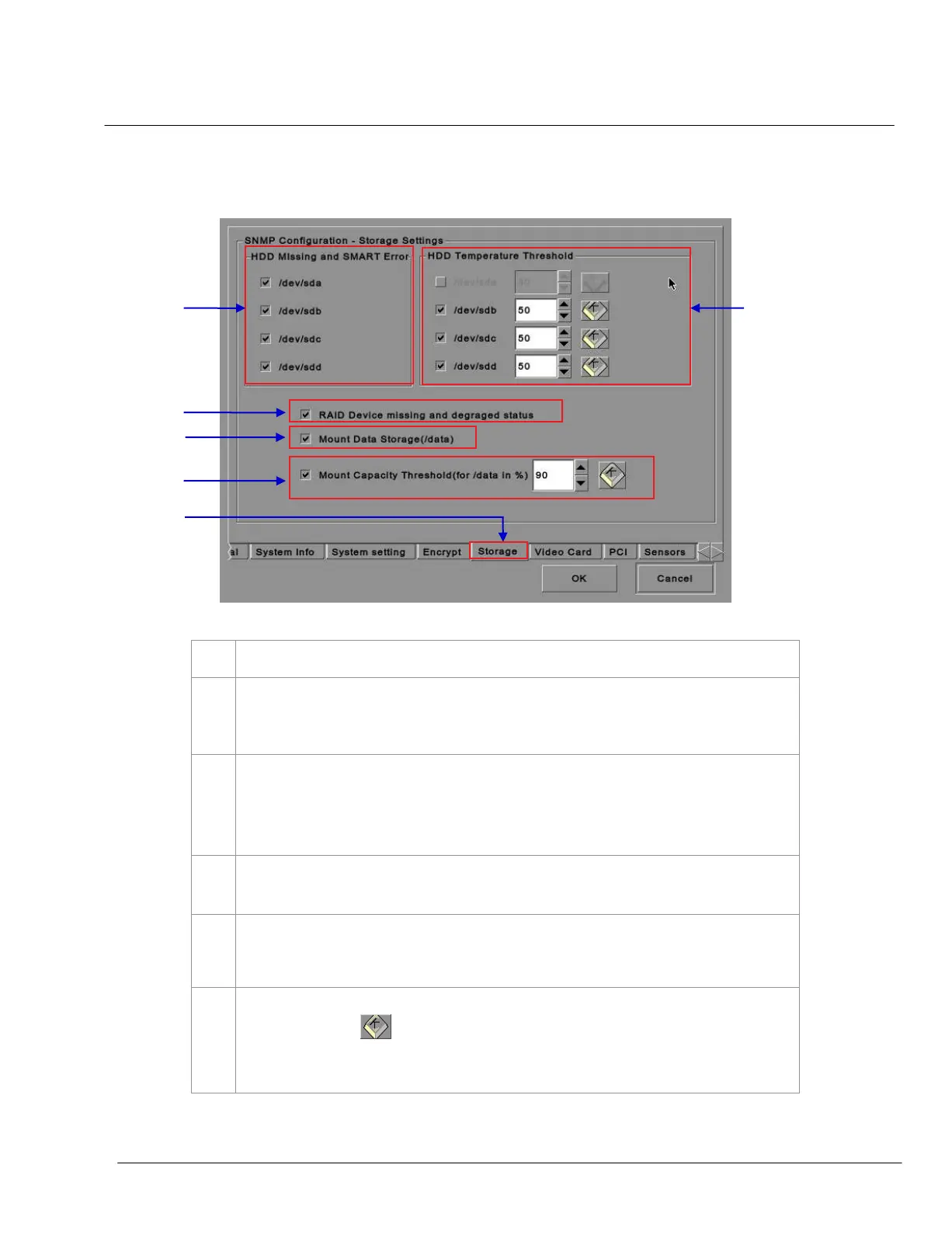
Figure 17 SNMP Configuration [Storage Settings].
On the
SNMP Configuration menu, select Storage. A new window opens as seen in Figure 17 above.
Activate the Trap by checking the small box opposite the corresponding storage device.
NOTE: When the Trap is On, a trap will be sent to the SNMP Manager if the system cannot
detect the specified device.
Set the desired threshold temperature for respective storage device by using the
[▲] and [▼] buttons.
Activate the Trap by checking the small box opposite the corresponding storage device.
NOTE: When the Trap is On, a trap will be sent to the SNMP Manager when the
threshold temperature is reached.
Activate the Trap by checking the small box opposite
RAID Device
.
NOTE: When the Trap is On, a trap will be sent if the RAID Device is missing or degraded.
Activate the Trap by checking the small box opposite
Mount Data Storage
.
NOTE: When the Trap is On, a trap will be sent if the data storage is not mounted on the
system.
Set the threshold mount capacity of the mount data storage by typing in the field or using the
on-screen keyboard
. Activate the Trap by checking the small box.
NOTE: When the Trap is On, a trap will be sent to the SNMP Manager if the mount
capacity exceeds the threshold value.



 To Next Page