SX-3000 Standalone Integrated Media Block™ with
Portable Storage/ Enterprise Storage User Manual
2.3.2. Playlist Menu
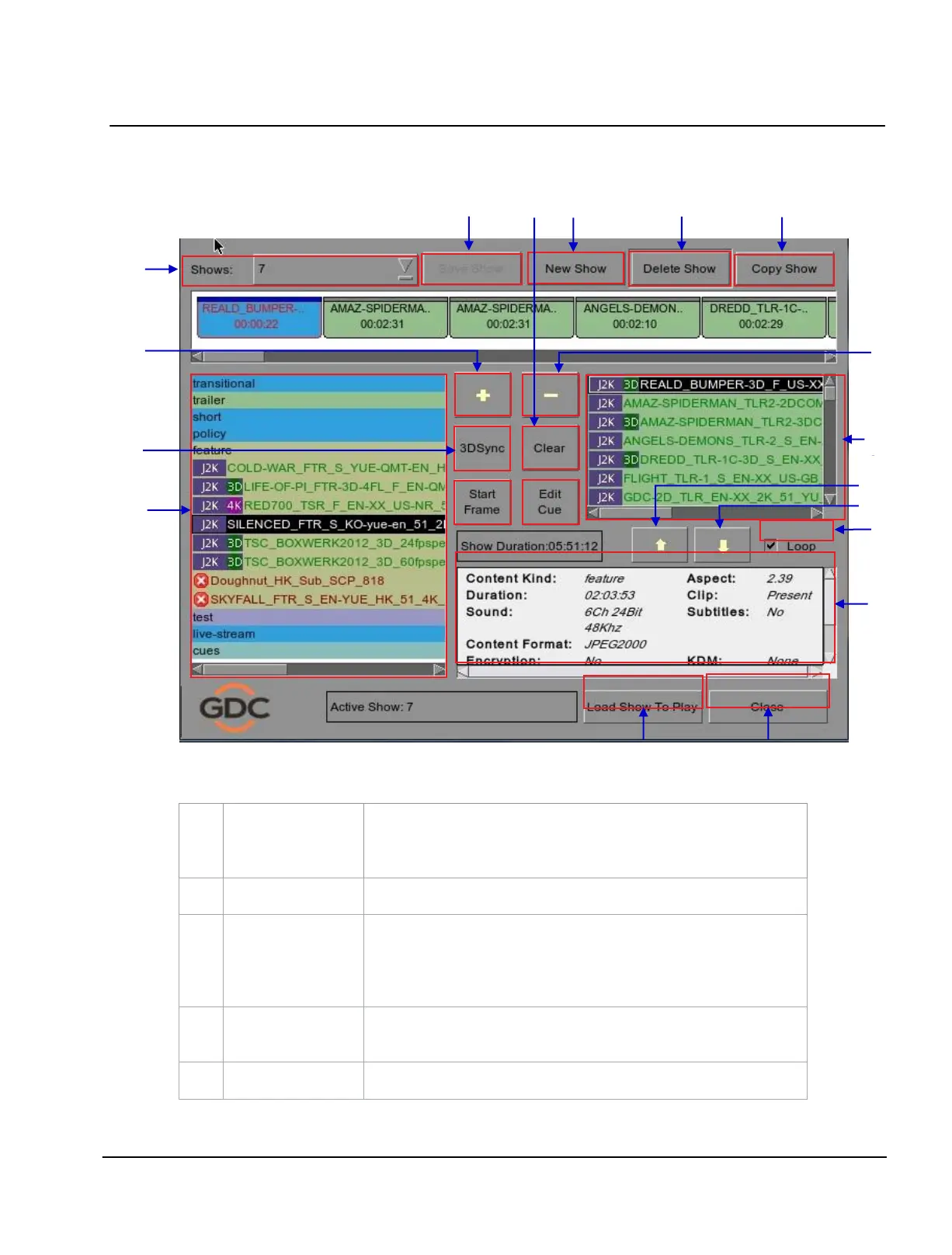
Figure 4 Playlist menu.
The IMB content is listed here. Content is shown in alphabetical order
grouped by [Trailer, Feature, etc]. Available automation cues are listed
under
cues
. HDMI content can also be added to the playlist.
The contents of the playlist being currently edited are shown here.
Displays information about the selected item in the Content. This includes
the
Name, total Duration, Sound (Audio) format, Content format, if
Encryption is present, if a Composition Playlist exists, if it has Subtitles and
if a current KDM is on the IMB.
Adds content to the
Playlist by pressing [+] after an item from the Content
is selected.
Removes the selected item from the
Playlist content.



 To Next Page