SX-3000 Standalone Integrated Media Block™ with
Portable Storage/ Enterprise Storage User Manual
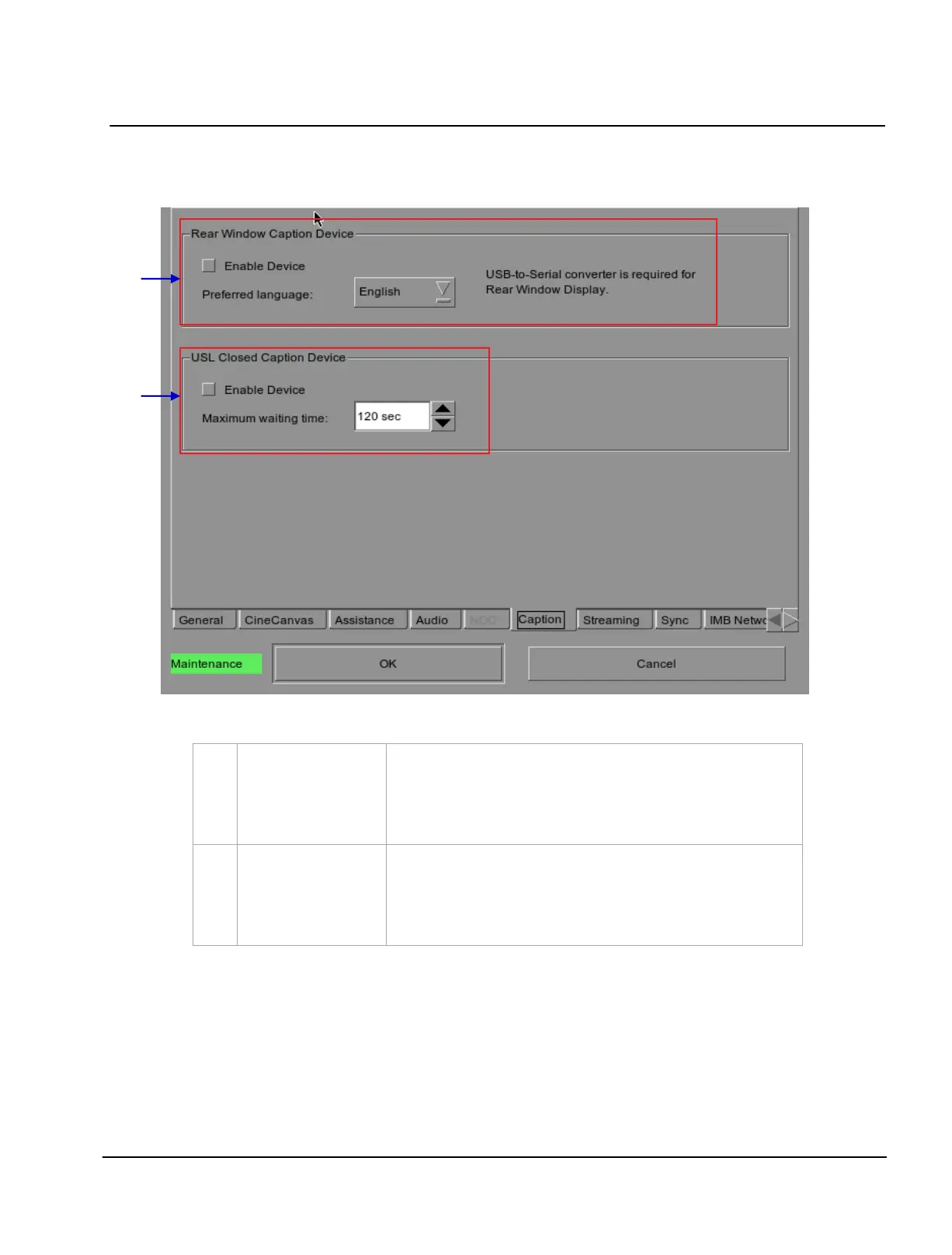
2.3.4.5. Closed Captions Option
Figure 10 Closed Captions option.
[Rear Window Caption
Device]
Enable and configures a Rear Window display for closed captions.
Note: Support for this option is only available with 9.0-build131 or
higher. A USB-to-Serial converter is required for Rear Window display.
[Enable Device]
[Maximum waiting time]
Enable communication with a closed caption device that supports
SMPTE 430-10 (USL CCE-100, etc).
Specifies the maximum time to wait for the closed caption device to
report it is ready, before starting playback.



 To Next Page