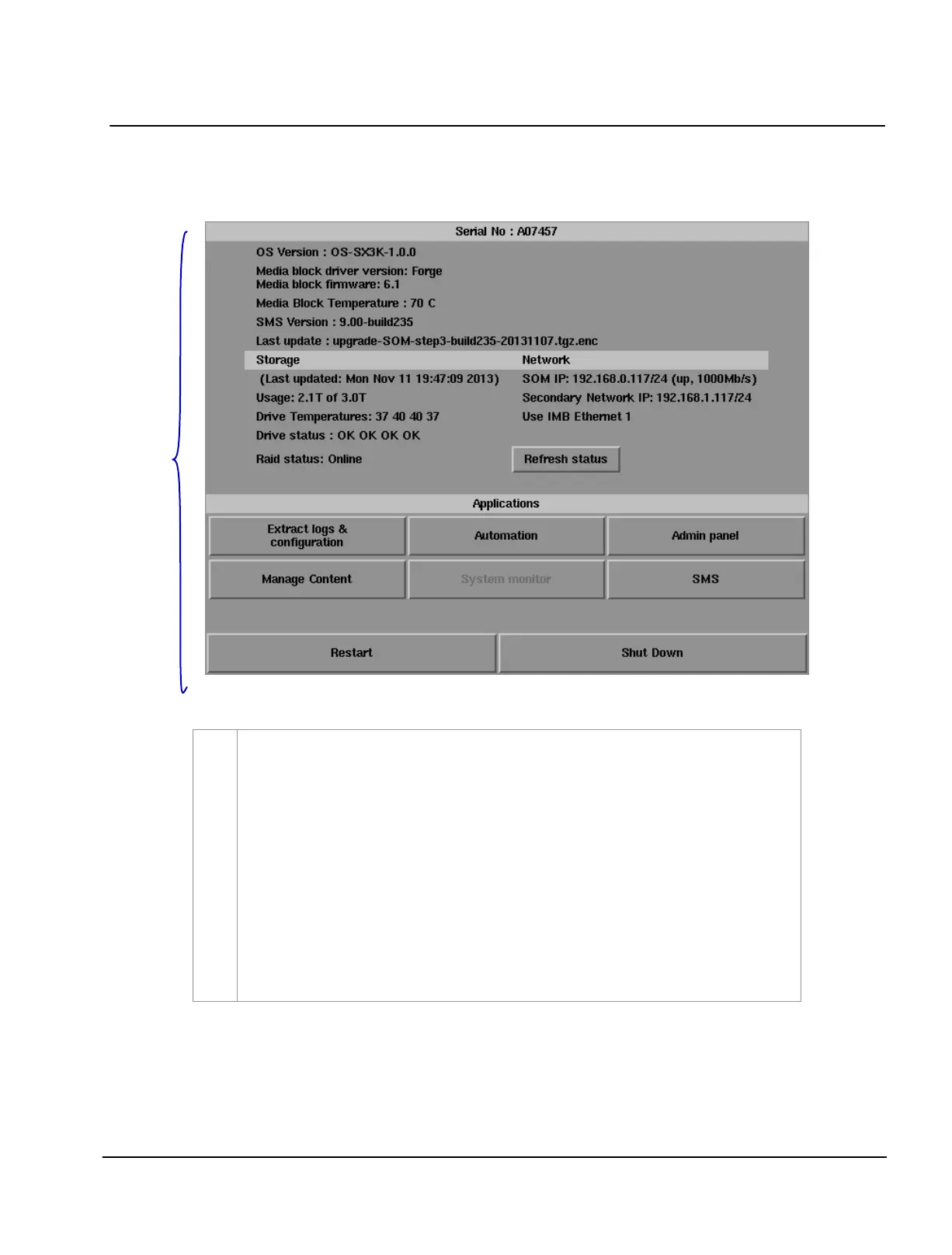
3.2. Control Panel Menu
Switch ON the IMB and allow it to boot up to prompt directly to the SMS interface.
When
the SMS interface is shown, press the
Control Panel button and a new window for
the
Control Panel menu opens as shown in Figure 49. The Control Panel includes the
Automation button, Admin panel button, Manage Content button, SMS button, Restart
button, Shutdown button and a Refresh status button. System information including the
serial number, OS version, SMS version, network and storage information can also be seen
on the Control Panel UI.
NOTE: The
Refresh status button is used to manually refresh the status of the hard disks in
the external storage device. This button should not be pressed during playback to prevent
disruption of playback.
The SMS software continues to run in the background when using the Control Panel.
This allows access to other IMB functions when playback is in progress. It is
recommended that these functions be used very sparingly to avoid unnecessary system
load that can potentially affect playback performance.



 To Next Page