SX-3000 Standalone Integrated Media Block™ with
Portable Storage/ Enterprise Storage User Manual
5.3.4.3. Calibrate Touchscreen
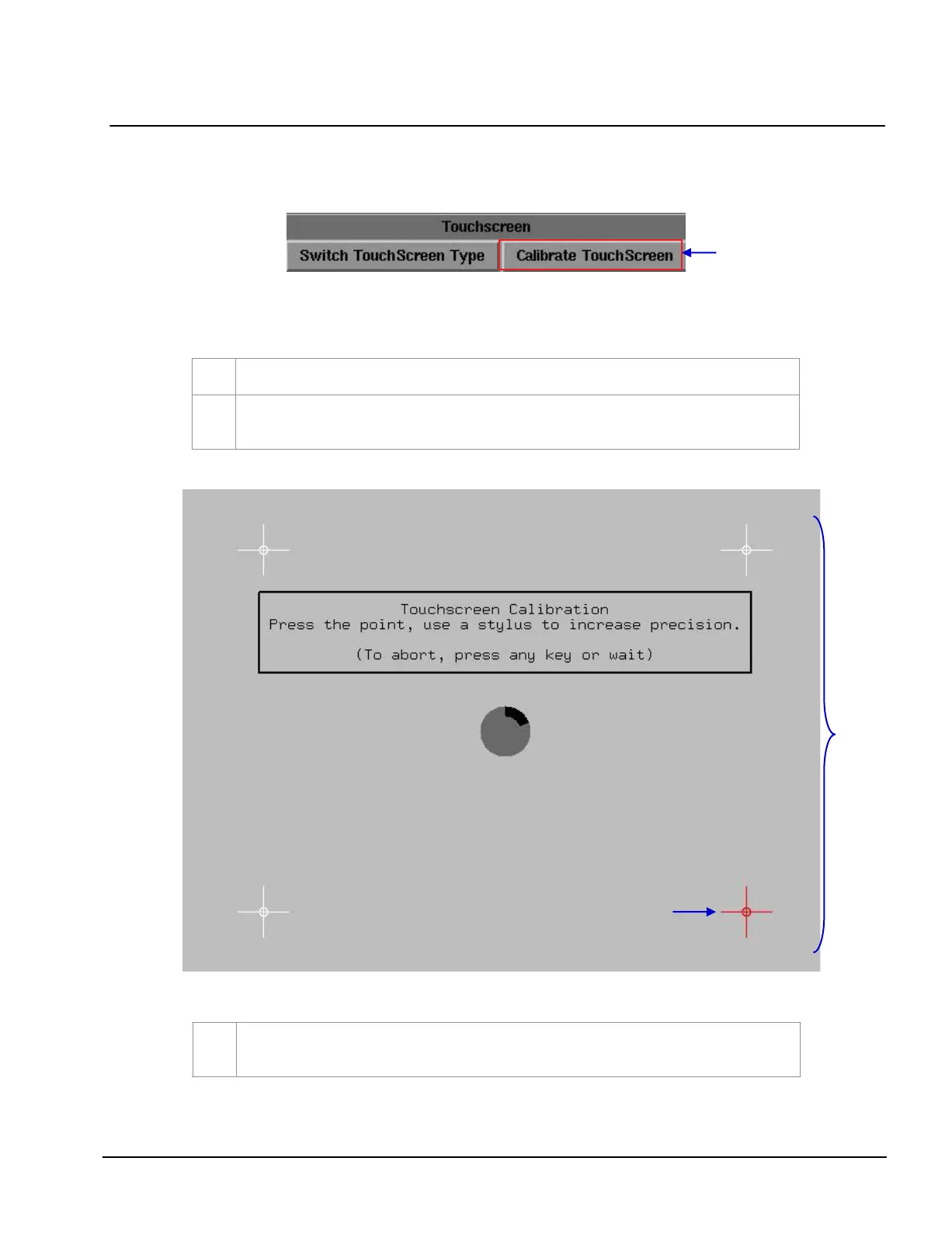
Figure 122 Touchscreen [Calibrate Touchscreen].
Select
Calibrate Touchscreen
.
If
Calibrate Touchscreen is selected when in TK USB screen, the screen will appear as
seen in Figure 123
.
Figure 123 Calibrating the touchscreen by 4-pt calibration method.
3
Touch the blinking symbol until it stops. Continue touching the blinking symbols on each of the
four (4) corners of the screen to complete the calibration of the touchscreen.



 To Next Page