SX-3000 Standalone Integrated Media Block™ with
Portable Storage/ Enterprise Storage User Manual
2.8. Series 2 DLP CINEMA
®
Projector Setup
There are several points to be noted when setting up the GDC IMB with a Series 2 DLP Cinema
®
projector.
SMS version 9.0 supports Series 2 projectors, the section below details additional steps required for full Series 2
compatibility. If any fields are left blank the default values are assumed. Login and password fields only need to
be entered if the user has changed these parameters on the projector.
2.8.1. Automation Setup
1
On the
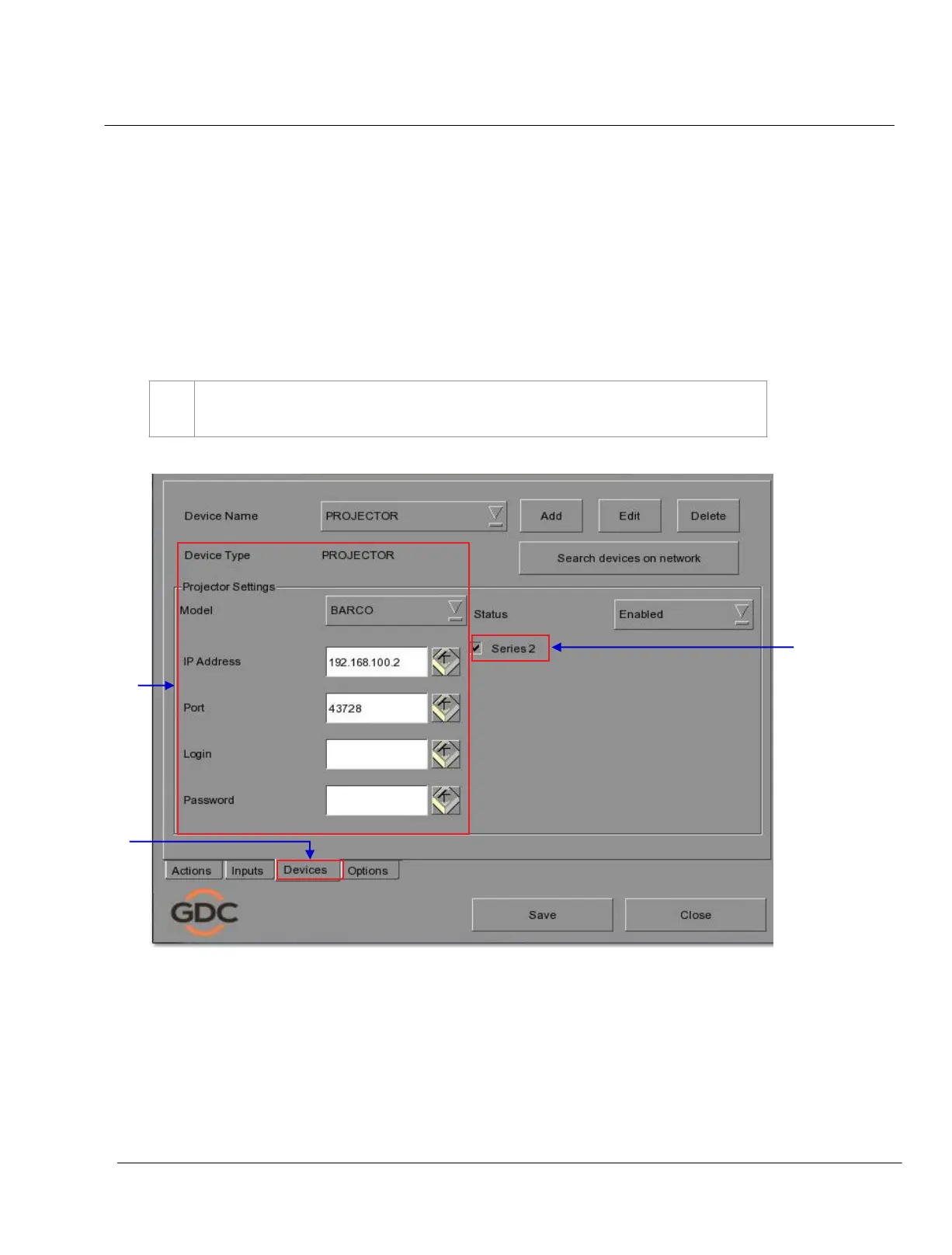
Automation menu, press Devices. This section will describe individual projector setup.
An example Barco setup is seen in Figure 41
.
Figure 41 Setting the device type.



 To Next Page