SX-3000 Standalone Integrated Media Block™ with
Portable Storage/ Enterprise Storage User Manual
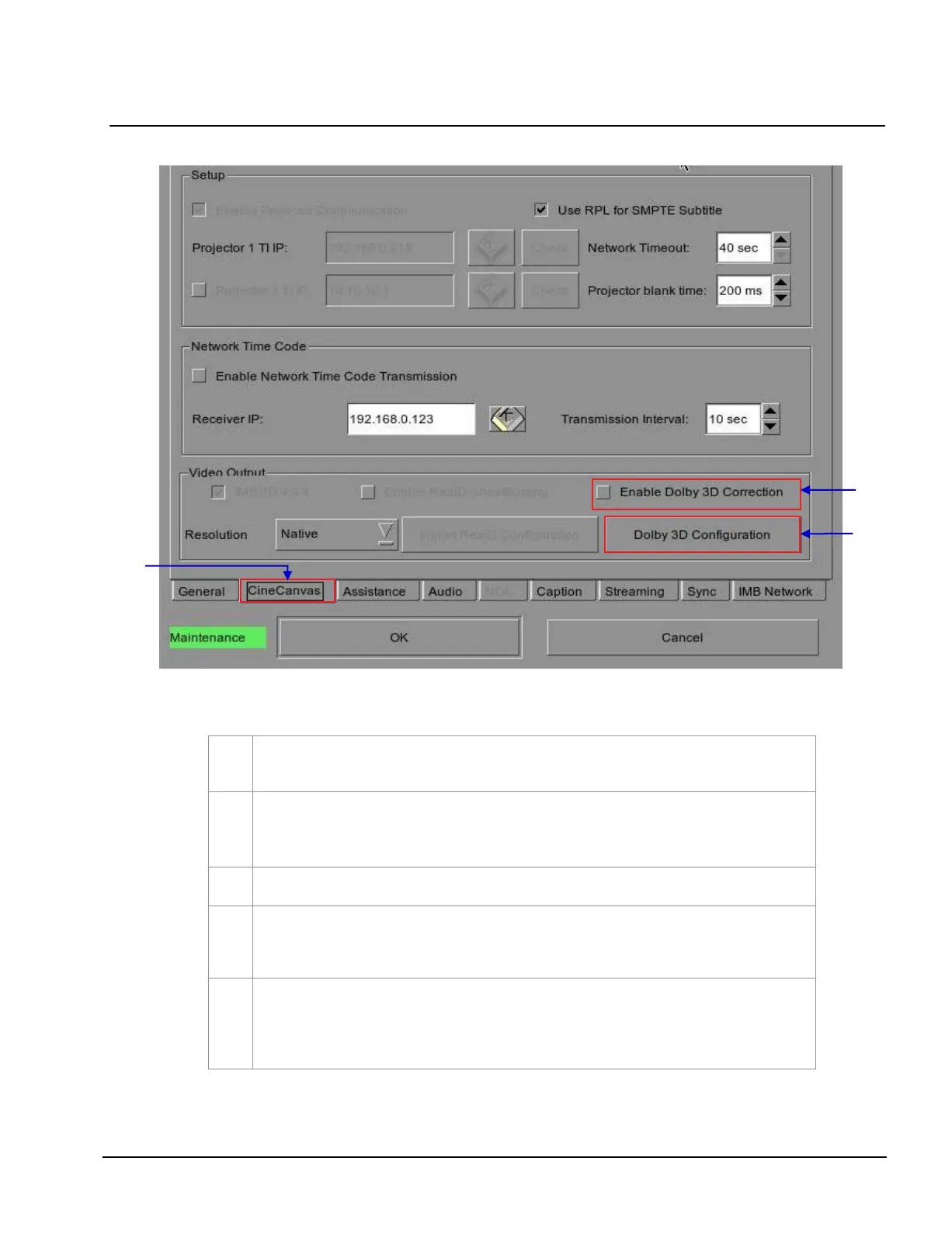
Figure 40 Dolby 3D setup.
A new window for Configuration menu opens as seen in Figure 40. Press CineCanvas to open
the
CineCanvas menu.
Click
Dolby 3D Configuration to access the DFC IP address configuration. Enter the IP address
of the DFC and check the DFC IP address box. If there is no DFC, make sure that the DFC IP
address box is NOT checked.
Once you have setup the DFC IP address, check the box
Enable Dolby 3D Correction
.
Setup the Dolby 3D filter wheel, Dolby filter controller and glasses; check that the IMB is able to
access the projector and the filter controller via the network.
Connect your laptop, open a browser and point to http://
server-ip/cgi-bin/dolby3dConfig. From
here you will follow the wizard to setup color correction for the GDC IMB. T he DFC Controller
will automatically turn on and off whenever a 3D playlist is being played.
**
server-ip refers to the SOM IP address configured in SMS Configuration IMB Network.



 To Next Page