SX-3000 Standalone Integrated Media Block™ with
Portable Storage/ Enterprise Storage User Manual
It will start advancing when
[►] is pressed to start a playback. One clip will
take one complete cycle from the left to the right. The
Slider Bar always
returns to the starting point (extreme left) after a clip is finished. When
[■]
is pressed, the Slider Bar will stop and return to its starting point.
When playback is paused, the
Slider Bar can be moved t o t he left (for
rewinding) or to the right (for forwarding).
Move to the first frame of the clip.
Rewind (move back) by the number of frames of the playback.
Forward (move forward) by the number of frames of the playback.
Move to the last frame of the clip.
Reports the status of the system. The display shows the number of clips in
the active playlist, the name of the active playlist, and the name of the clip
currently being played.
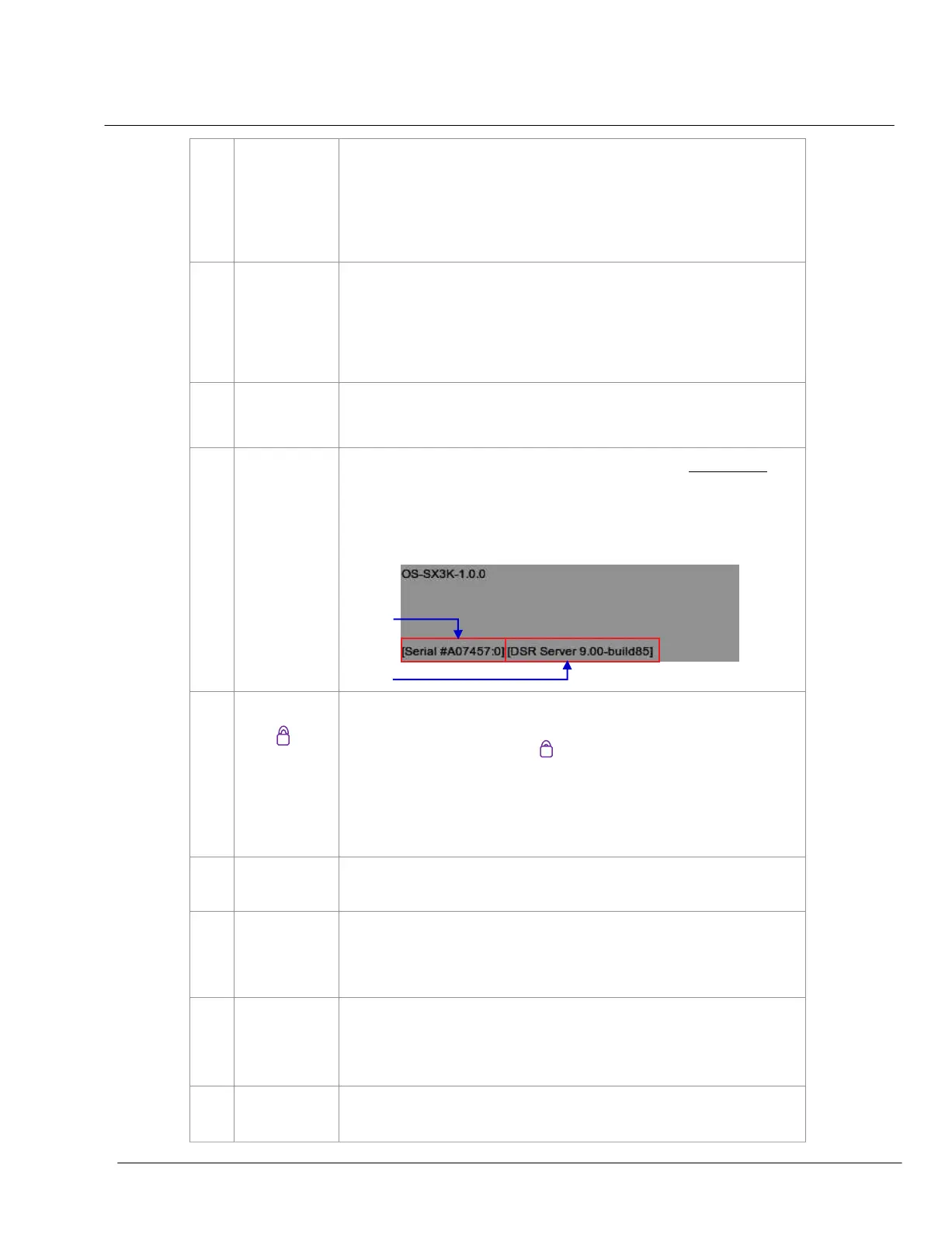
INFORMATION button. If [
i
] is pressed when the system is in stopped mode
,
the system will show the serial number and the software version of the IMB.
A text box will appear beside the Timecode Display (replacing the navigating
buttons
[
|◄
][
] [
] [►]) and the text box will show the serial number and
software version of the IMB
.
SCREEN LOCK button - The SCREEN LOCK function will prevent any
unintentional screen touches or mouse clicks that could disturb playback.
The screen will be locked when
[ ] button is pressed. No access to the
Main Menu (or associated menus) is allowed when the screen is locked.
The User level password or higher is needed to unlock the screen.
If the screen is locked while the system is playing, the name, duration and
the remaining time of the clip will be shown on the screen while the clip is
playing.
CONTROL PANEL button – For returning to the control panel screen of the
user interface.
SCHEDULE
button – For scheduling the time and date of the playlists to
be shown. The playlist can also be looped for a period of time. For more
information about
Scheduler, please refer to Section 2.3.3. Scheduler
Menu
.
CONFIGURATION button – For changing the general options on the system
(e.g. enable startup/ shutdown password, change access level passwords,
perform software upgrade, etc.). For more information, please refer to
Section 2.3.4. Configuration Menu
.
SHUTDOWN button. For shutting down the IMB or restarting the application. For
more information, please refer to Section 2.9 Shutdown/Restart Application
.



 To Next Page