EasyManua.ls Logo

GDC SX-3000 - Page 30

GDC SX-3000
160 pages
Print Icon
To Next Page IconTo Next Page
To Previous Page IconTo Previous Page
Loading...
2. SMS
- 30 -
April 20, 2015
SX-3000 Standalone Integrated Media Block™ with
Portable Storage/ Enterprise Storage User Manual
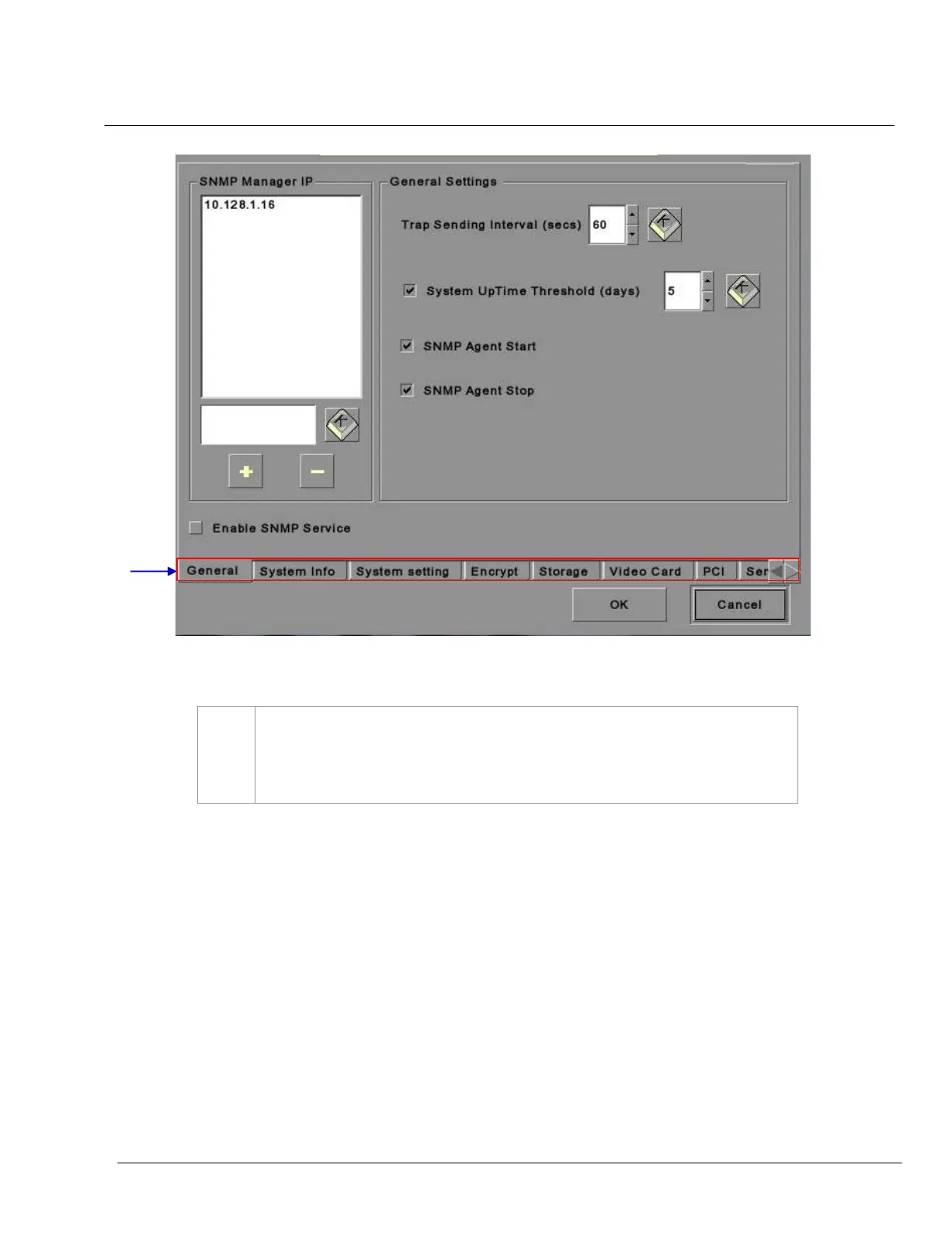
Figure 15 SNMP Configuration [General].
2
On the
SNMP Configuration menu, there are several tabs along the bottom of the
screen. The
General option (shown in the above figure), System Info option, System
Setting
option, Encrypt option, Storage option, Video Card option, PCI option and
Sensors option.

2

Table of Contents

Other manuals for GDC SX-3000