SX-3000 Standalone Integrated Media Block™ with
Portable Storage/ Enterprise Storage User Manual
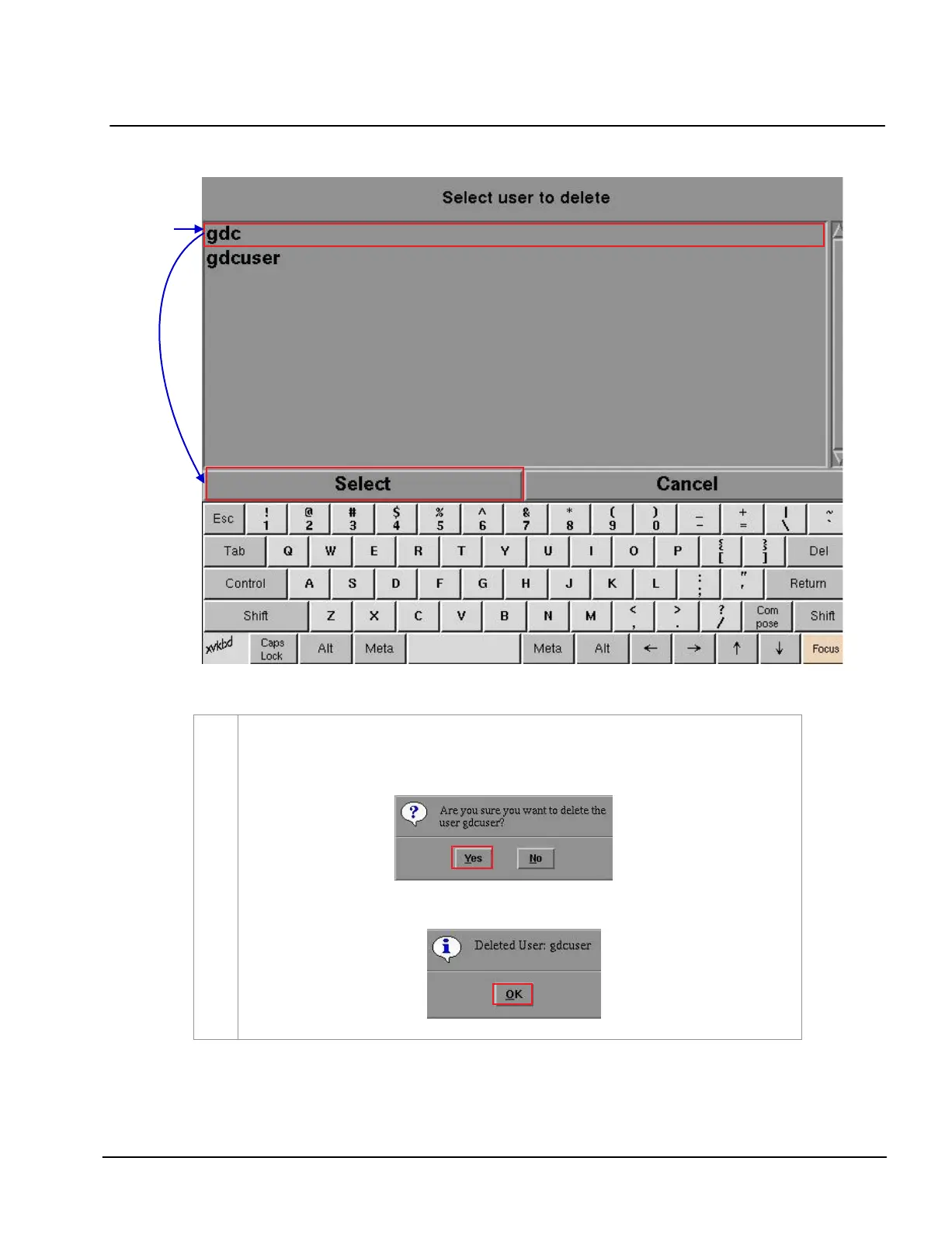
Figure 128 Selecting the username to be deleted.
2
Select the username you want to delete and press
Select. A small window pops up to confirm if
you want to continue to delete the user
.
Select
Yes to confirm. A small window appears confirming the user has been deleted.
Press
OK to exit and return to User Manager menu.



 To Next Page