SX-3000 Standalone Integrated Media Block™ with
Portable Storage/ Enterprise Storage User Manual
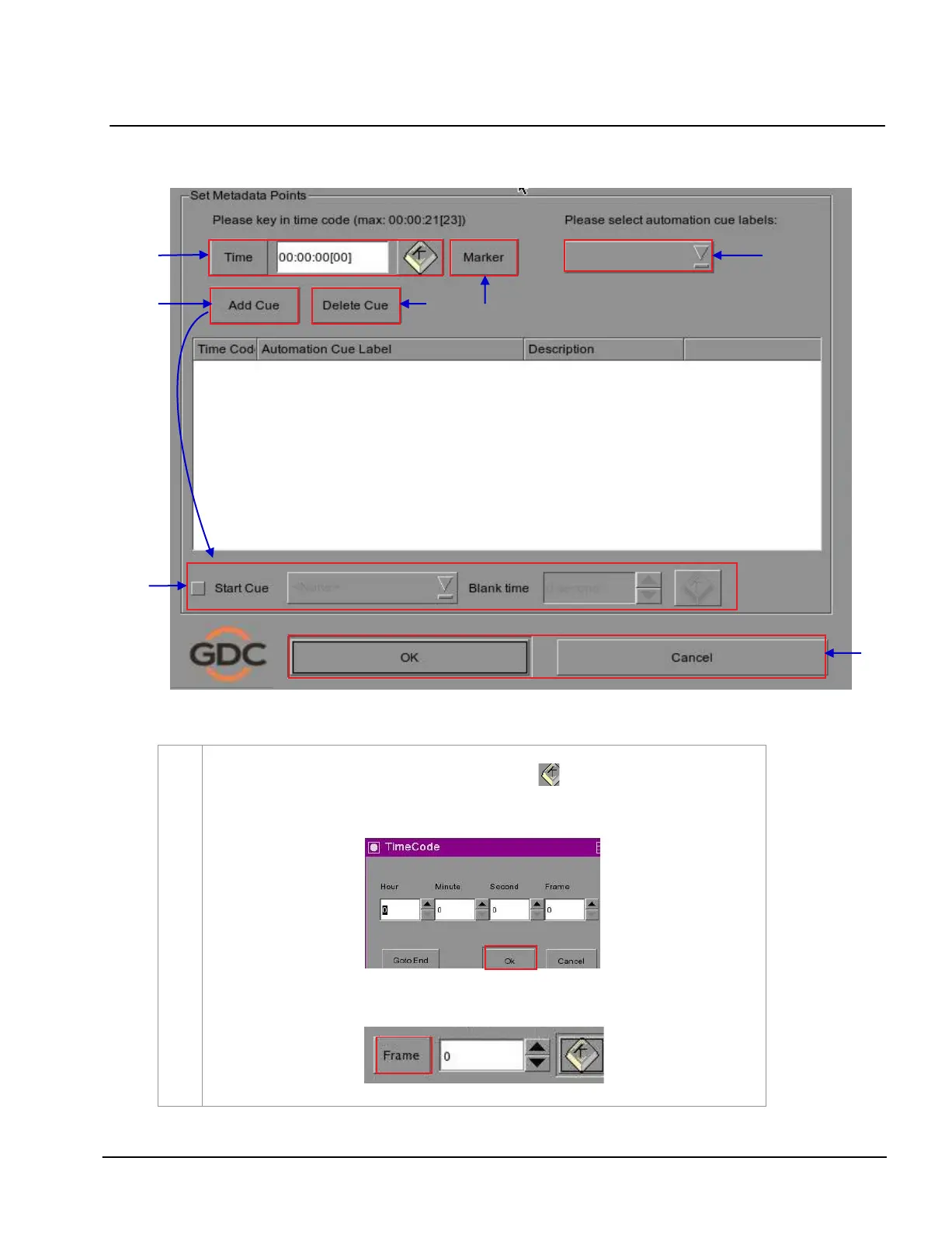
Figure 31 Edit Cue menu.
2
To specify a time code for the activation of the cue, press and a time code entry window
wi ll ope n. Use the
[▲] and [▼] buttons enter the desired time code. Press OK to confirm
your selection.
To specify a frame for the activation of the cue, press the
Time button once and it will toggle
to display the Frame button as shown below
.



 To Next Page