SX-3000 Standalone Integrated Media Block™ with
Portable Storage/ Enterprise Storage User Manual
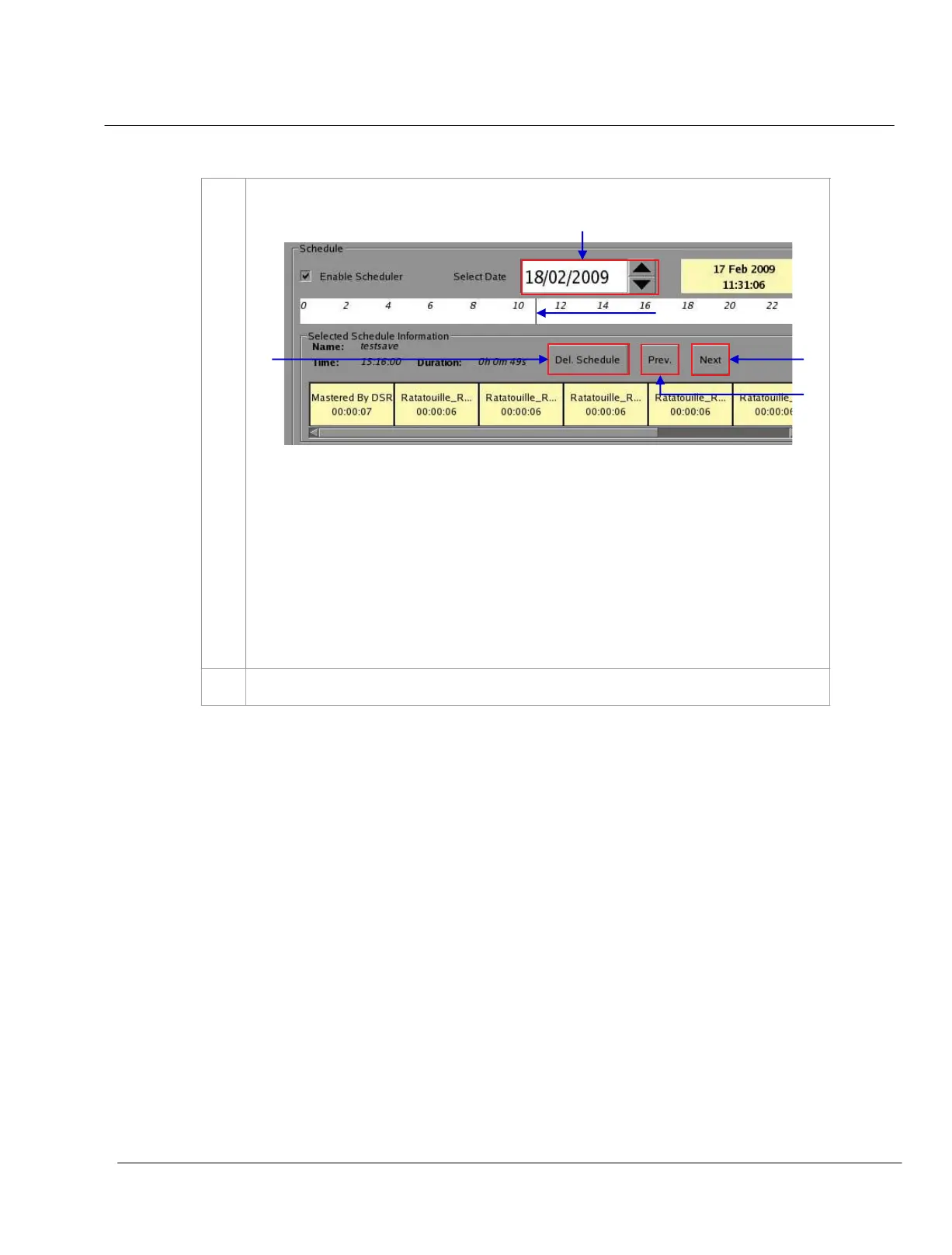
3 Check the
Enable Scheduler checkbox to enable scheduled playback
(a) At
Select Date, indicate the date of the schedule. You should see a line on the
time-bar at the slot where the show is scheduled.
(b) Click on the line. Information about the show such as name, time and duration will be
displayed in the
Selected Schedule Information column beneath the time-bar
.
(c) To navigate to the previously scheduled show just before the selected show, press
[Prev]
.
(d) To navigate to the succeeding show scheduled after the selected show, press
[Next]
.
(e) To delete a show schedule from the time-bar, just click on the relevant color bar and
press [Del. Schedule]
.
4
To replicate the same show schedule on other days, check
Set recurrence rules and press Add
.



 To Next Page