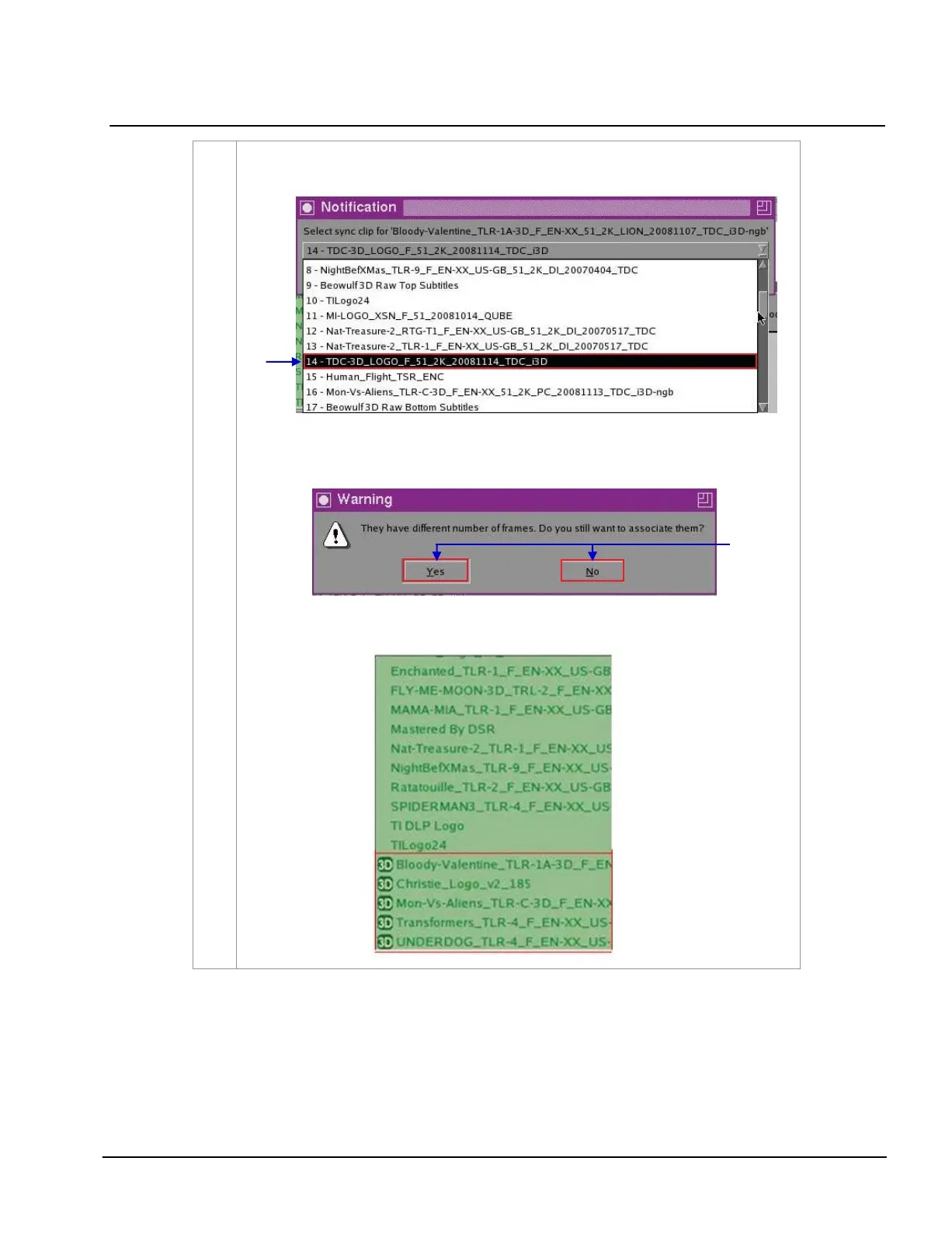
(a) Select the clip you want to associate with the previous clip you selected from
Contents and then press OK
.
(b) Clips with the same number of frames will be immediately synchronized. If the
clips don’t have the same number of frames, a small window will pop out as seen
below
.
(c) Select
Yes to confirm or No to cancel. Notice that the title of synchronized clips in
Contents will change after confirmation. [3D] is added before the title of the clip.



 To Next Page