SX-3000 Standalone Integrated Media Block™ with
Portable Storage/ Enterprise Storage User Manual
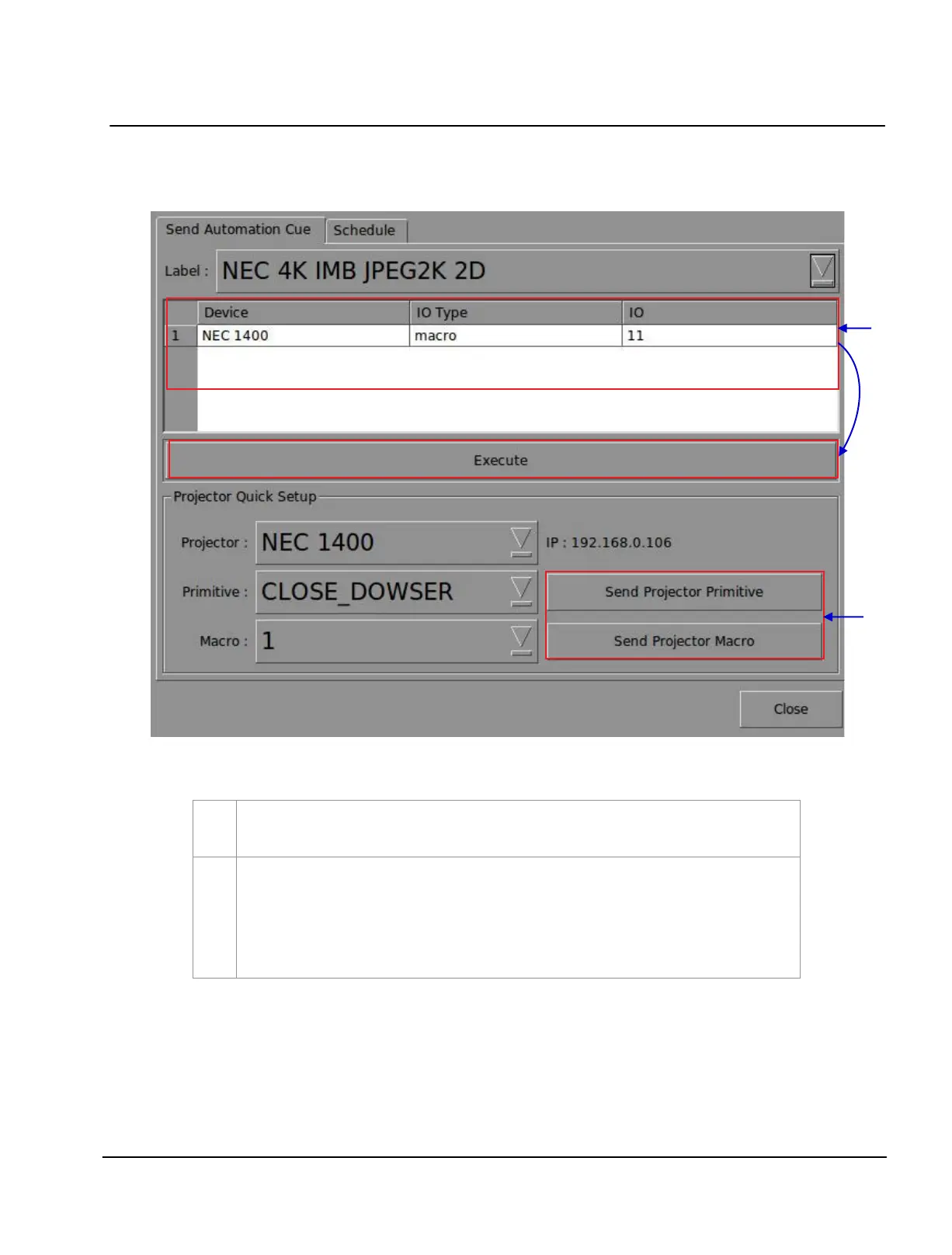
Figure 51 Executing Automation.
A new window opens as seen in Figure 51. Select an automation label to view the actions
associated with the label. Press
Execute to execute the automation label.
When a projector is configured for automation, projector primitives and macros can be triggered
from this interface as well. Select the projector primitive or macro to be executed, and click the
Send Projector Primitive or Send Projector Macro to send the command to the projector
.
Please refer to Section 2.3.6. Automation for instructions on how to configure automation
labels, actions and devices.



 To Next Page