GE MEDICAL SYSTEMS
D
IRECTION 2300000, REVISION 2 LOGIQ™5 SERVICE MANUAL
Chapter 4 Functional Checks 4-3
4-3-1-1 Scanner Power On (cont’d)
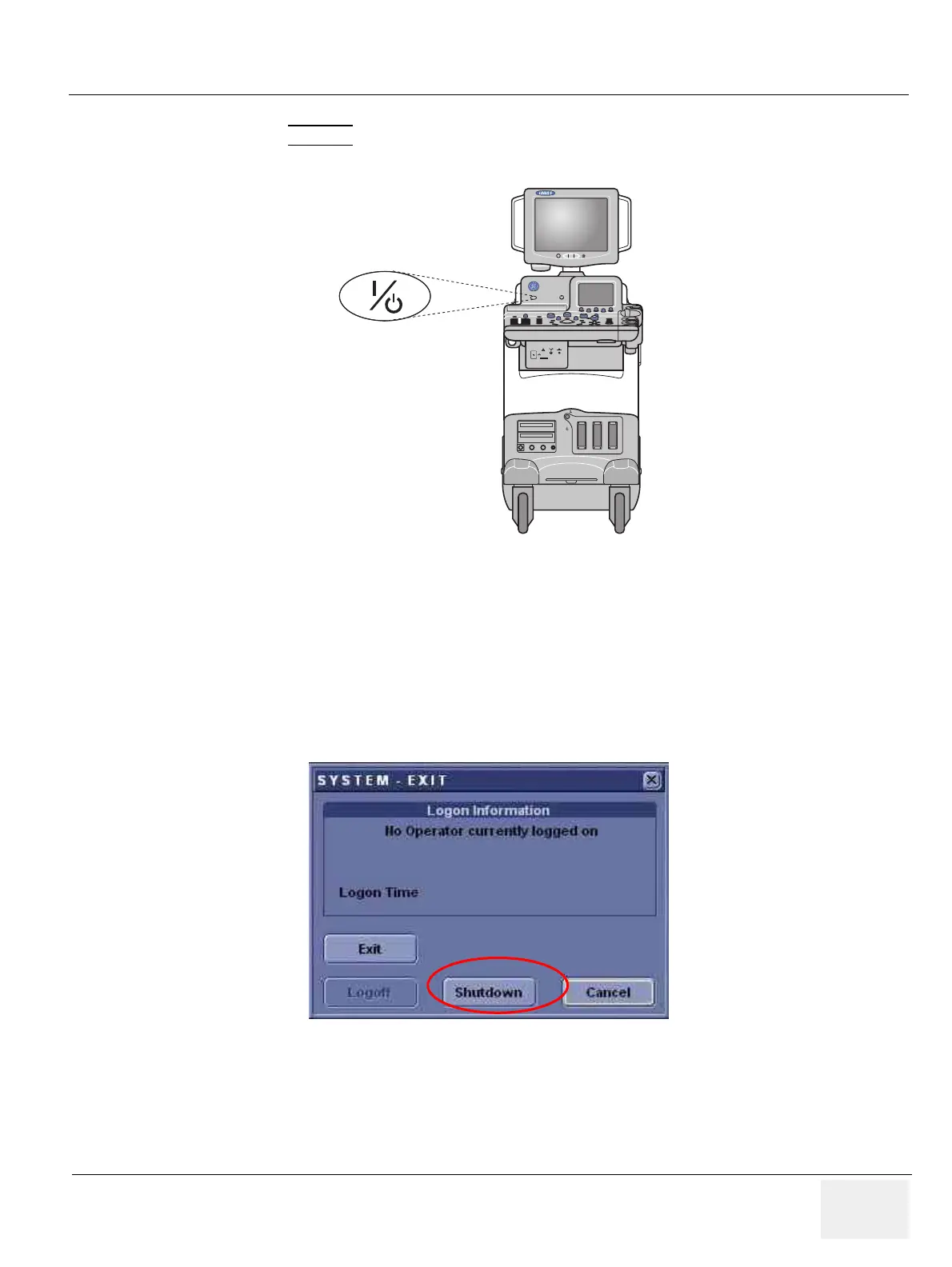
5.) Press the ON/OFF
key at the front of the System once.
4-3-2 Power Off / Shutdown
NOTE: After turning off a system, wait at least ten seconds before turning it on again. The system may not be
able to boot if power is recycled too quickly.
4-3-2-1 Scanner Shutdown
1.) Press the On/Off Key at the front of the System once to display the SYSTEM - EXIT menu.
2.) Select Shutdown from the SYSTEM - EXIT menu.
Figure 4-2 Power On/Off Standby Switch Location
Figure 4-3 System Exit Menu for Power Down
Composite
B/W
B/W Printer
Power
220-240V 500VA Max
Including rear panel



 To Next Page