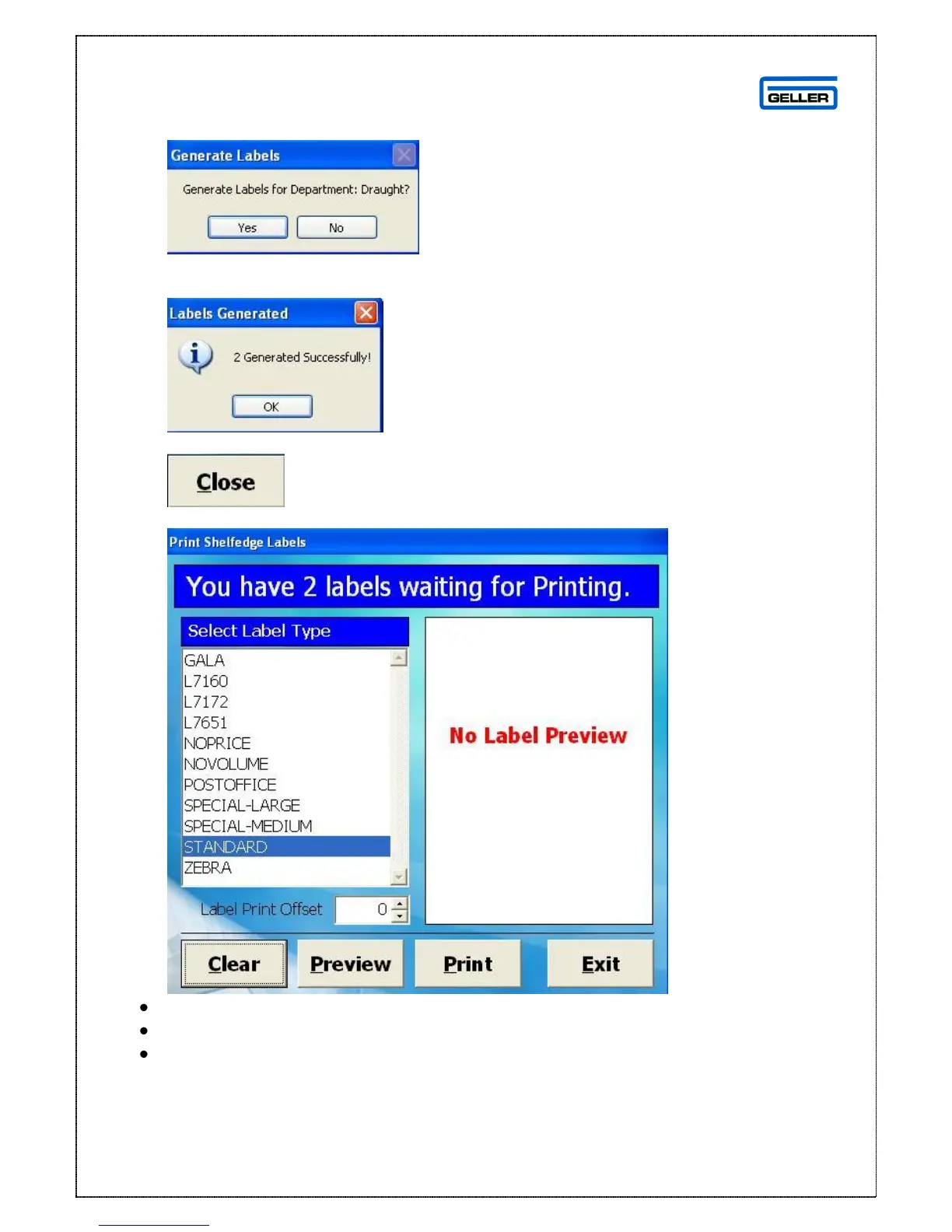
The following message will be displayed
If correct Press Yes
You will then see the following
Once you have selected all of your departments and number of labels select
The following screen will be displayed
Select the label type from the list on the left
To preview the labels select Preview
To Print the labels select Print
Exit and Clear will take you back to the Database options screen



 To Next Page