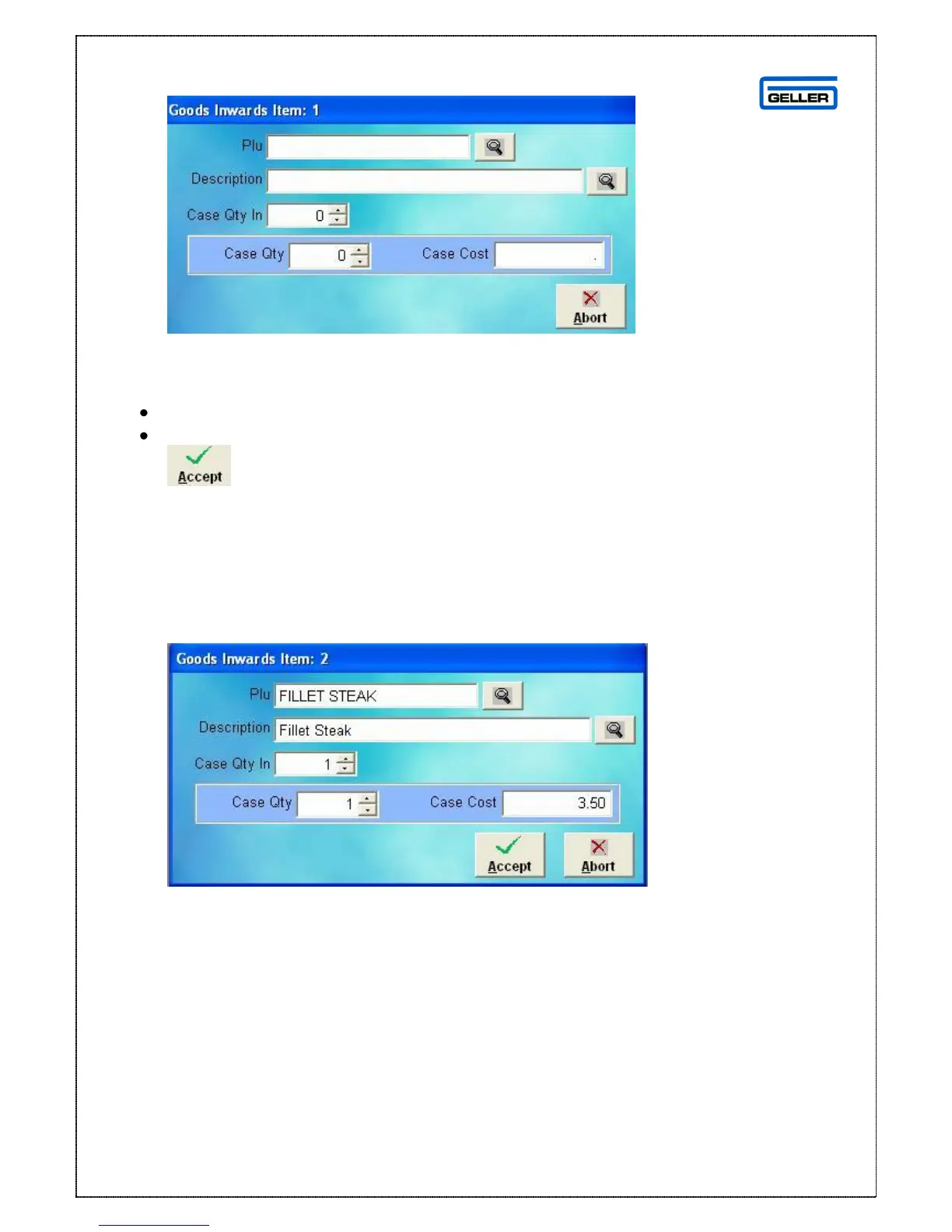
Use the PLU or Description field to search for the product you want to add to the
delivery, once the product has been selected the Case Qty and Case Cost will be
read through from the product record
In the Case Qty In field select the number of cases delivered
Select
The product listing page is displayed with the new product on the delivery
Edit an Item
The edit item button gives the same option as double clicking a product
From here you can change
The Case Qty In = number of cases delivered
Case Qty = if the case size was different from the standard
Case Cost = if the case cost is more or less than in the product record



 To Next Page