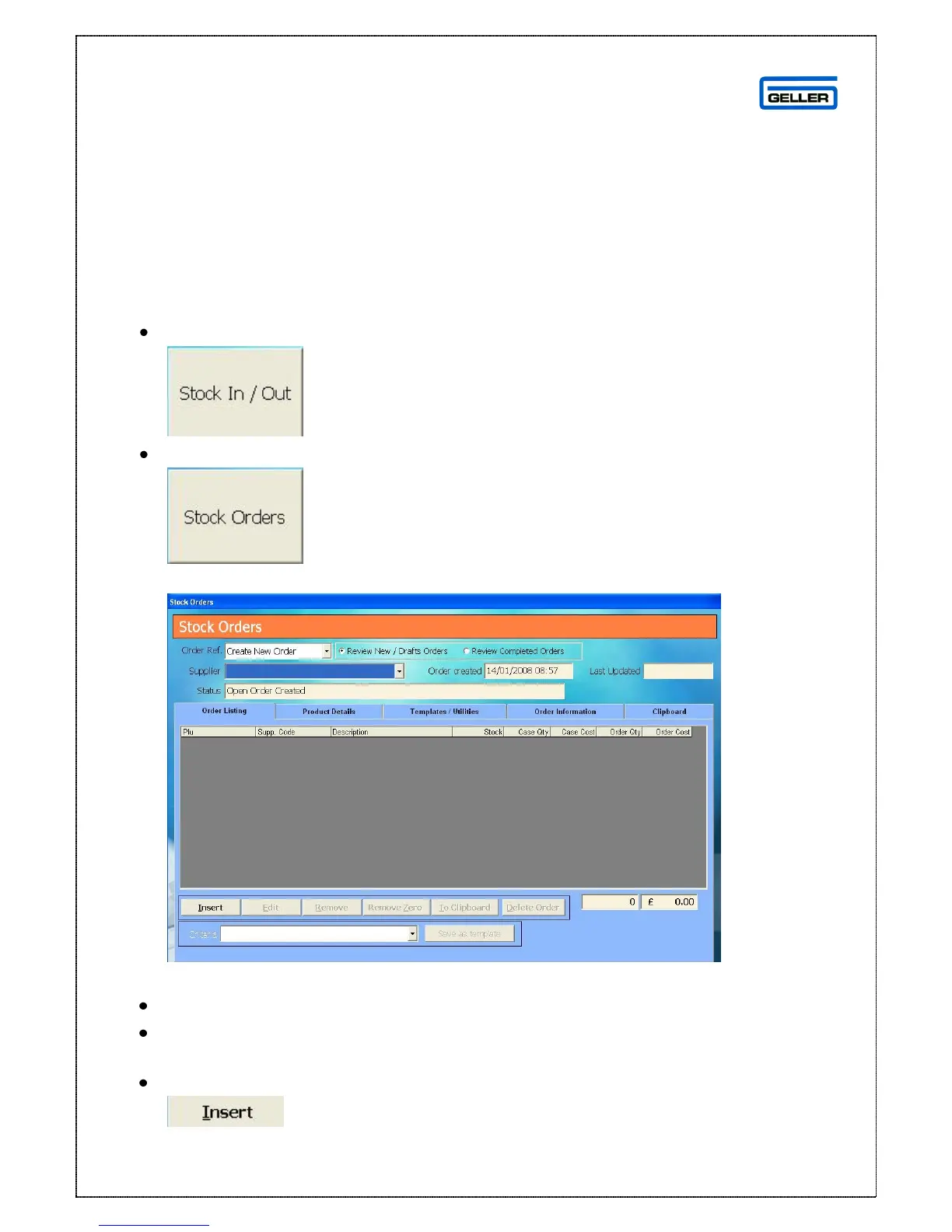
Stock Orders
Stock orders can be used to record incoming stock which has not yet been
received/orders placed with suppliers. This is not a mandatory part of the Stock In
process as ‘Goods In’ can be created as deliveries are received. These orders can
be faxed or sent electronically to Suppliers in some cases.
To create a new Order manually
Select
Select
A blank Stock Orders screen is displayed
From the drop down box in the ‘Order Ref’ field select ‘Create New Order’
From the ‘Supplier’ drop down box select the supplier you are ordering the
products from
Select



 To Next Page