Receipt Set Up
Setting the Header and Footer for Receipts
Select
Select
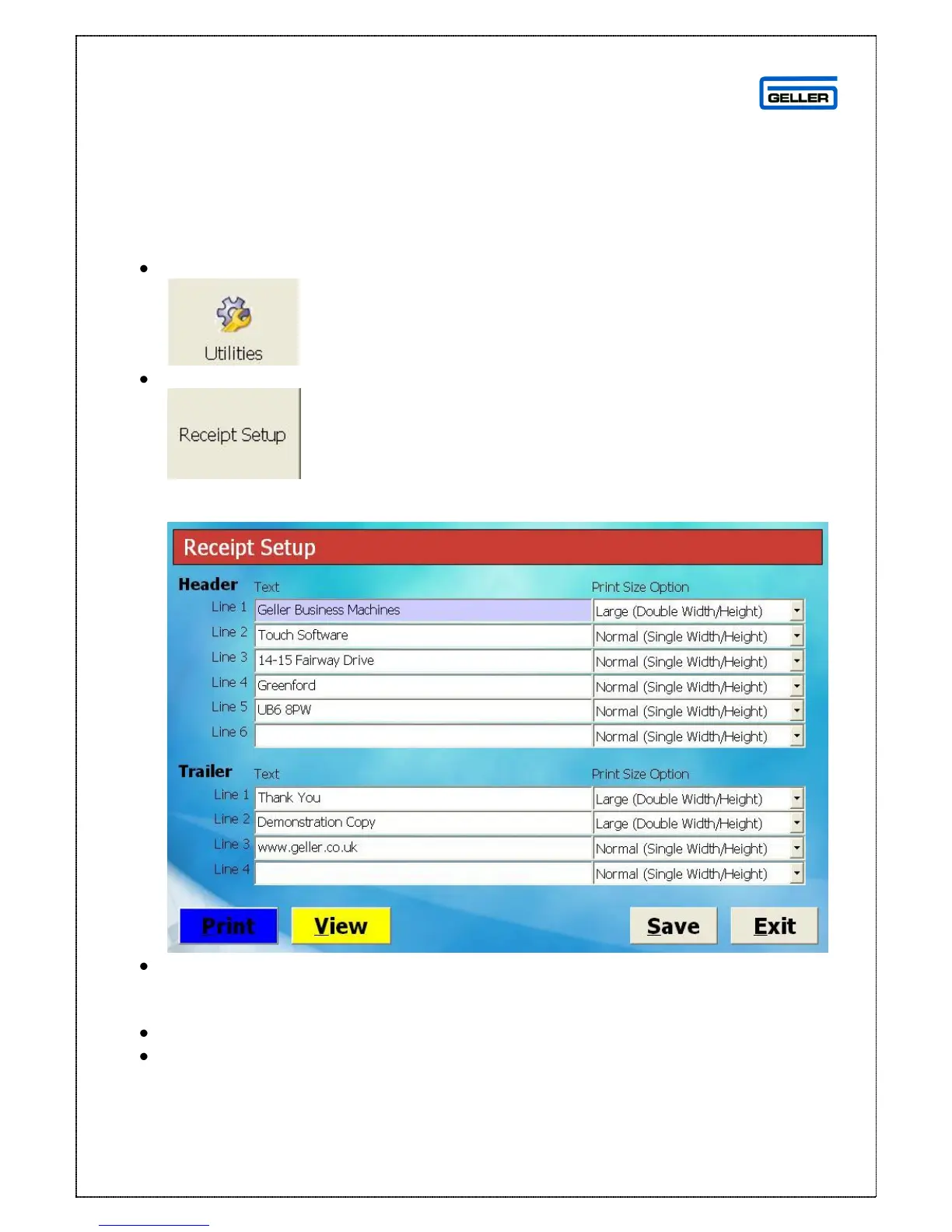
This will display the Receipt Set Up screen
Type the desired text into the relevant fields and select the text size from the
drop down boxes on the right
Selecting Print will print a copy of the text
Selecting View will display the text on screen as below



 To Next Page