The Goods in page will be displayed again but the Order you have just booked
in will not be there
If the delivery Qty or Cost was incorrect:
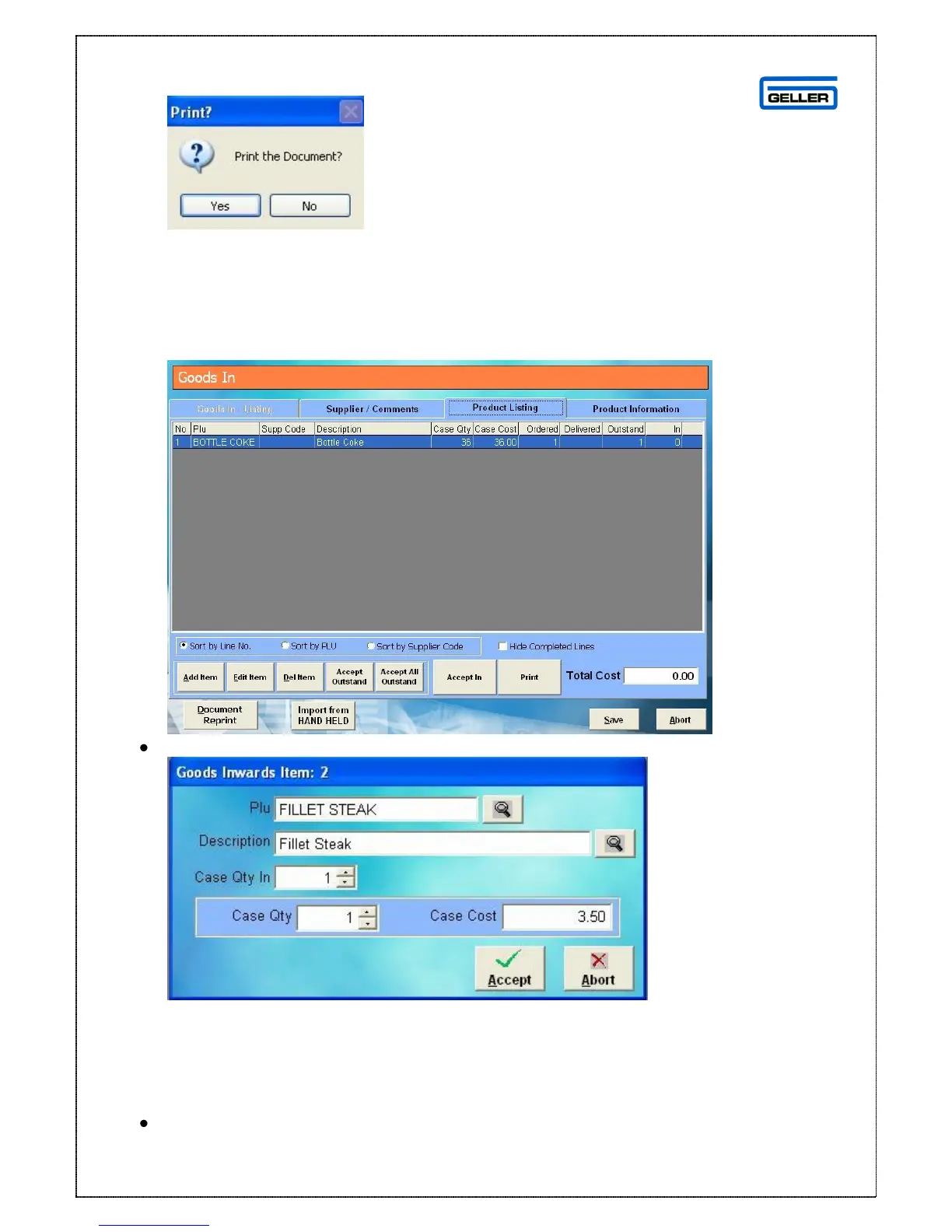
When the Goods In page is displayed select the Product Listing tab
Double click the product which was not delivered correctly
From here you can change
The Case Qty In = number of cases delivered
Case Qty = if the case size was different from the standard
Case Cost = if the case cost is more or less than in the product record
Once you have made the required changes
Select



 To Next Page