Paid In
The Paid In function is to account for monies that have been added to the till during
the trading day e.g. Float, there is a reason menu attached to the function. This
function cannot be done in a transaction
Select
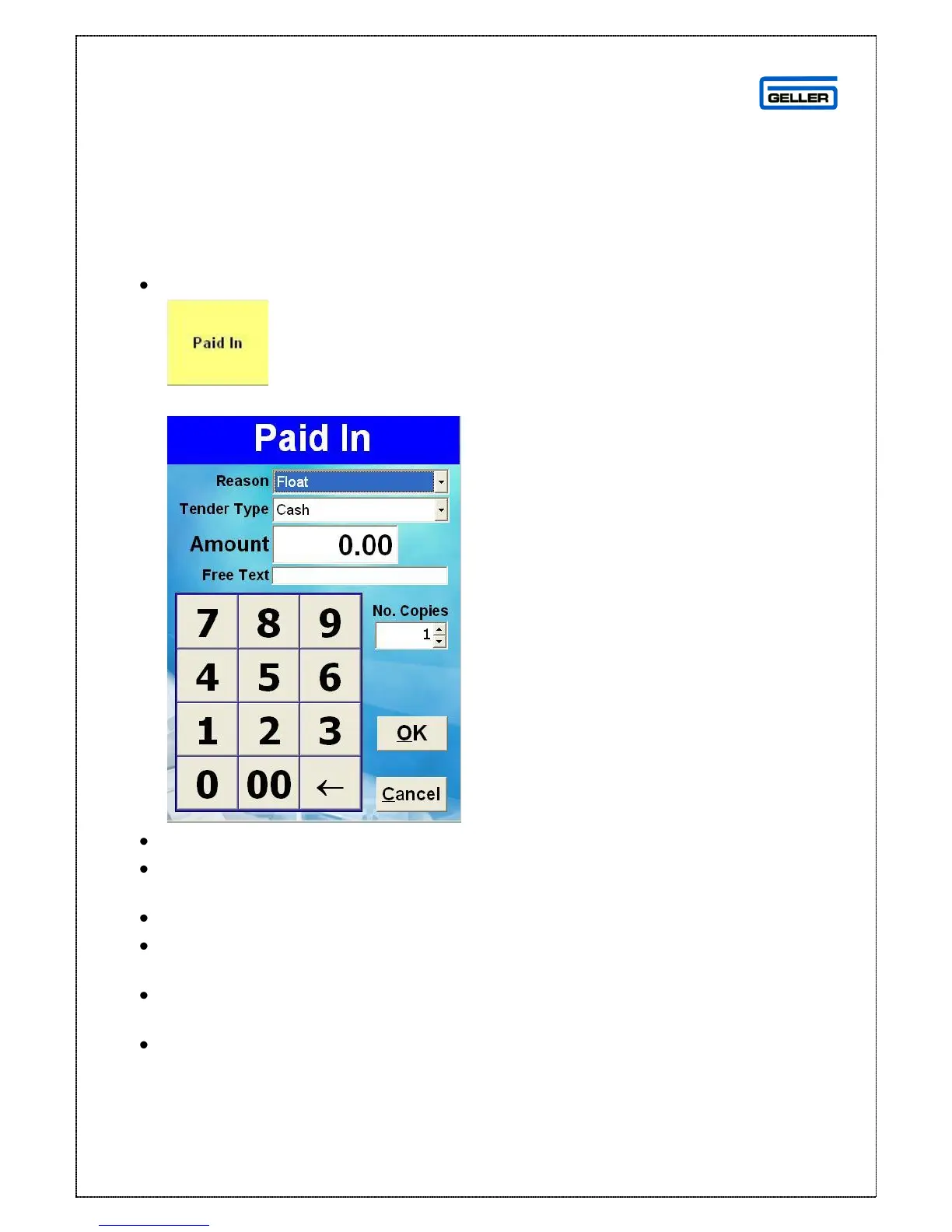
The Paid In window is displayed
From the drop down box select the reason for the function
From the drop down box in the ‘Tender Type’ field select the tender type of
the money
Type the amount in the ‘Amount’ field
The free text field is for any extra notes you may want to add e.g. if you
added an extra float because you were unusually busy
No. Of Copies is the number of receipts you want to print once the OK button
has been selected
Select OK to save the ‘Paid In’



 To Next Page