Price Change
The Price Change Function is mainly used for reducing (but will increase as well)
the price of a product outside of a discount e.g. if an item is damaged and you wish
to knock down the price.
Ring through the item you want to change the price of
Select
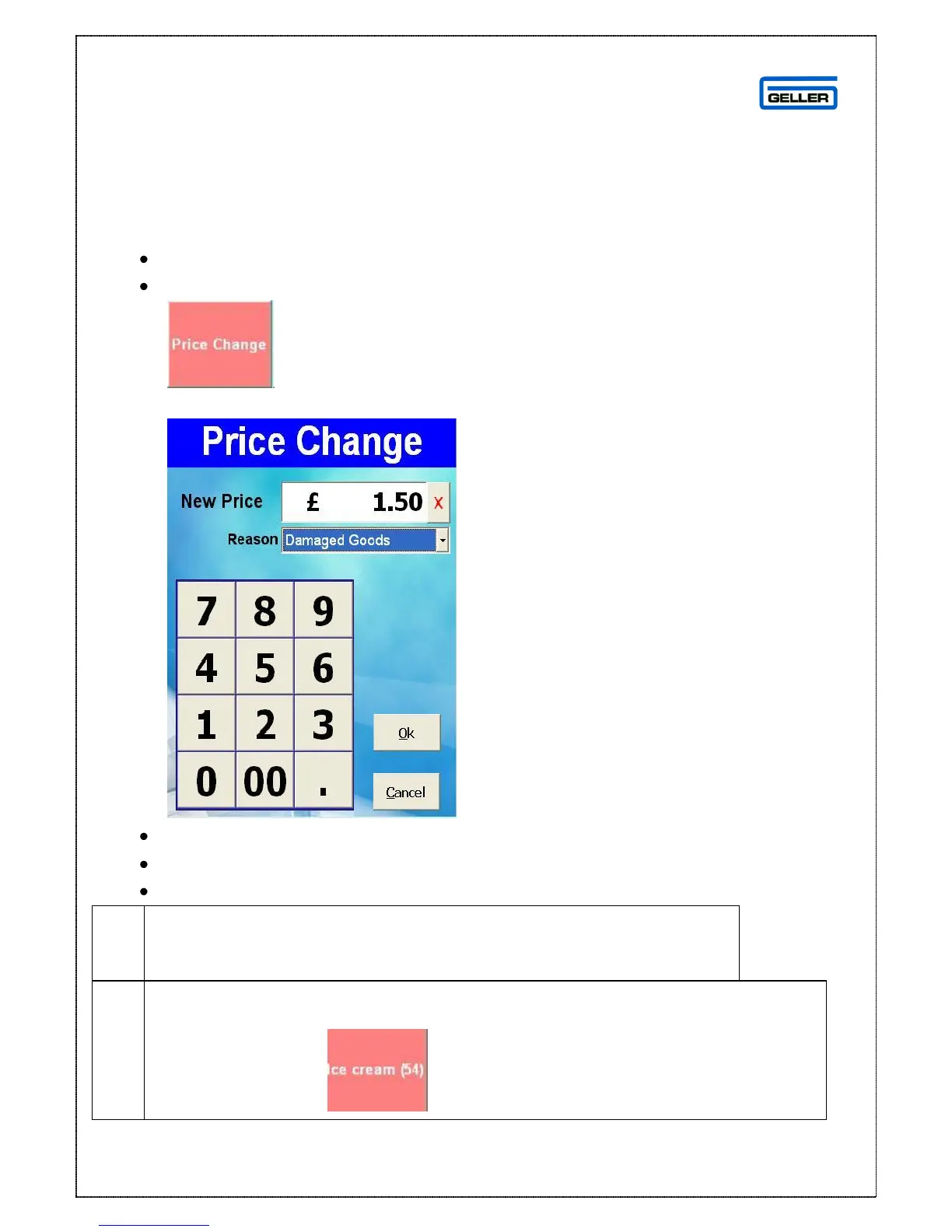
The Price Change Window is displayed
Enter the price you want to charge in the ‘New Price’ field
From the drop down box select the reason for the Price Change
Select OK to change the price
This will always change the price of the last product in the
transaction and does not change the price permanently (there is a
setting that can do this so this may be switched on)
You may have product countdown configured, this is a number displayed by
the product that advises the user how many are in stock – it will only display if
the figure is positive



 To Next Page