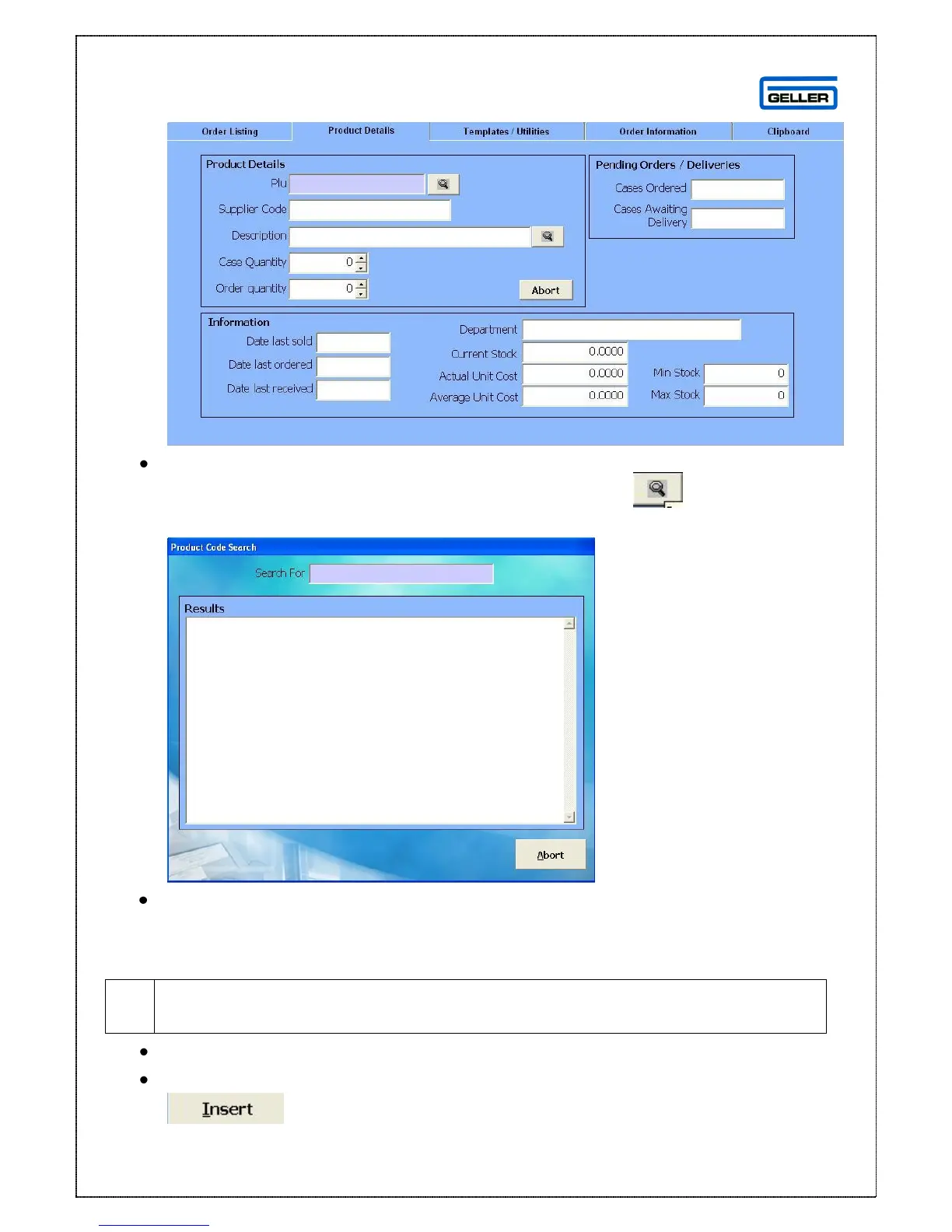
A new screen will appear
In the PLU field enter the PLU field of the first product you want to add to the
list and enter, if you do not know the full PLU press the and the
product search box will appear
In the Search for field enter a minimum of 1 character of the product you are
searching for the search will find any product with that character in e.g. if you
enter ‘o’ as the search it will find ‘Orange’, ‘Fosters’ and ‘Coke Bottle’ as they
all contain the letter ‘o’. Select ‘Accept’ to confirm the product



 To Next Page