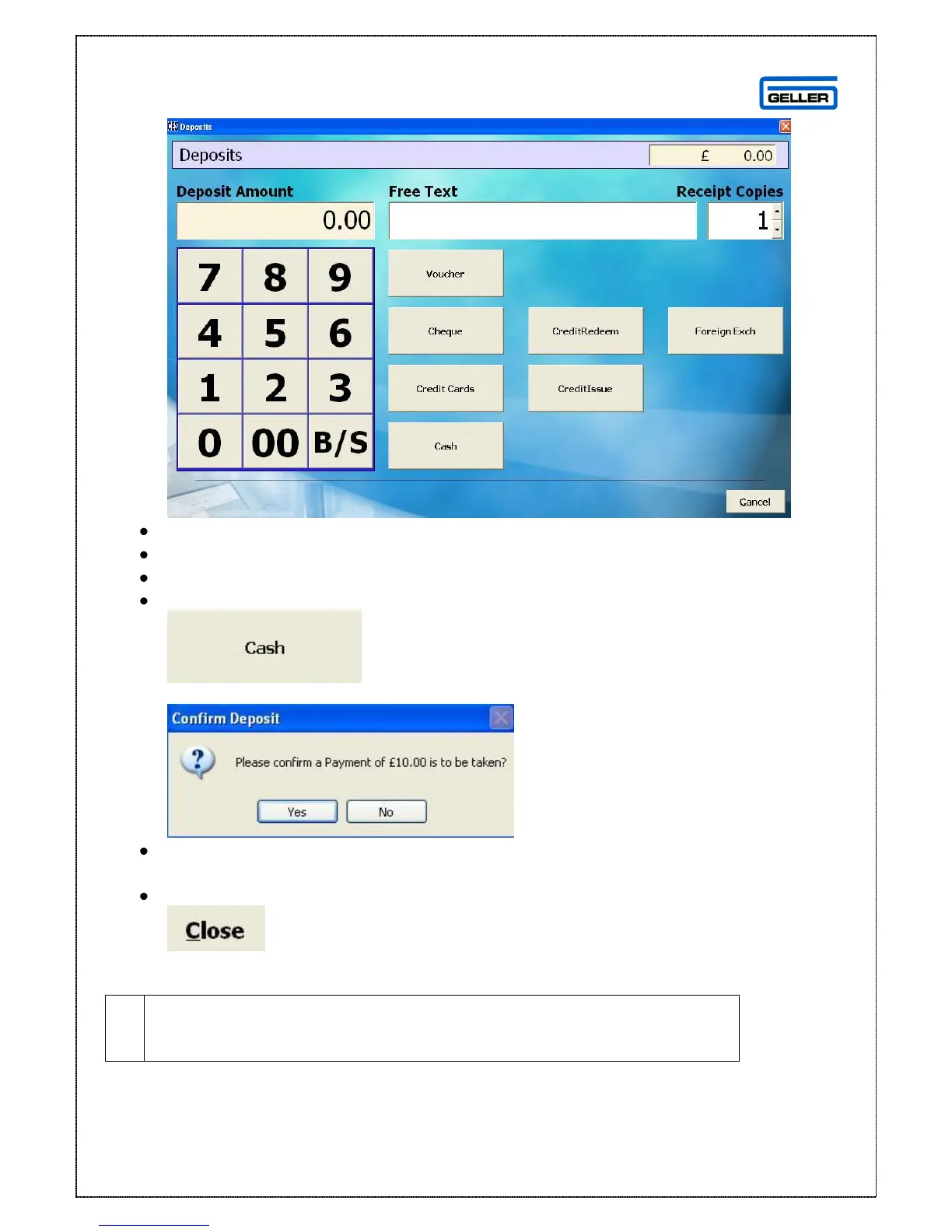
The deposits screen is displayed
Enter the deposit amount
In the free text field enter any relevant comments
Select the number of receipt copies required
Select the Tender Type e.g.
The confirm payment to be taken message will appear
Select Yes
You will be returned to the customer deposit screen where the deposit will be listed
Select
This will return you to normal sales mode
The customer is still identified at this point – you need to sign off and
back on again if you do not want the customer to be attached to the
current transaction



 To Next Page