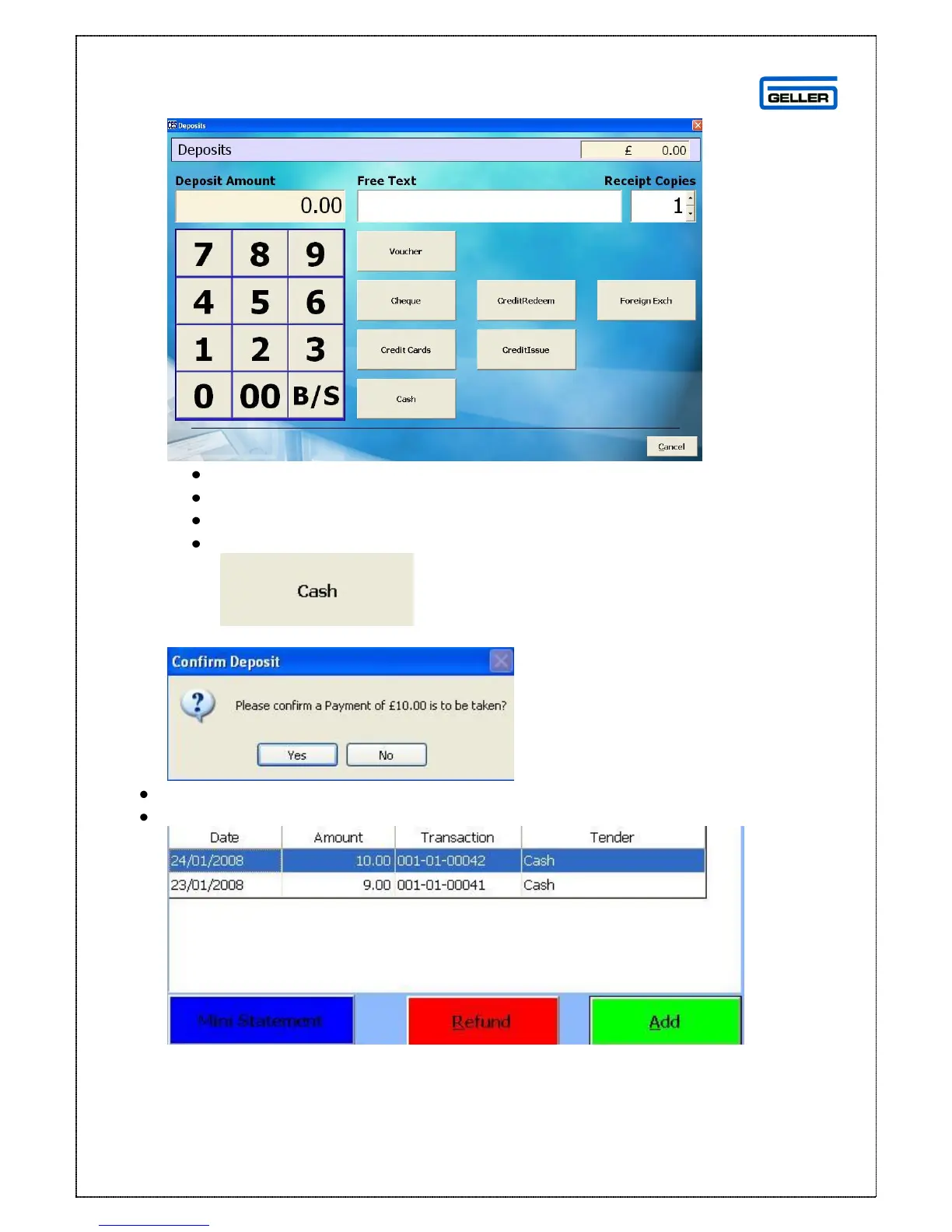
The Deposit screen is shown
Enter the deposit amount
Enter comments as required in the free text field
Select the number of receipt copies you require
Select the tender type e.g.
The confirm payment to be taken message will appear
Select Yes
The deposit will be listed in the Product/Deposit Details tab



 To Next Page