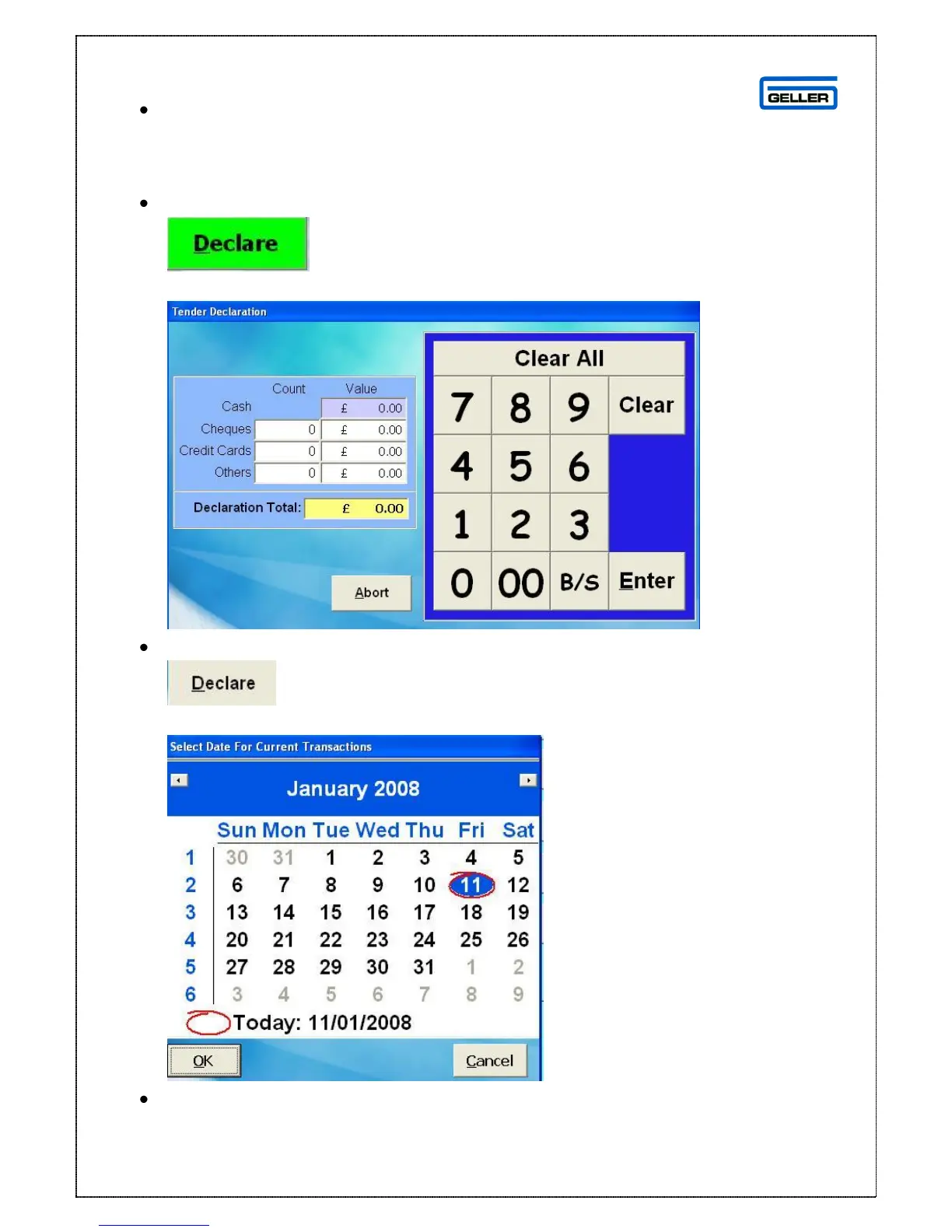
Enter either the number of notes in the count box OR the value of
the notes in the value box, in the non cash section enters the value against
the tender type; you may also enter the number as well but this is not
mandatory. The cash and declaration totals will be automatically calculated.
Select
Or
Select
The Select Date box is displayed
Select the date that the current transactions are to be date stamped with and
press OK (when viewing reports the data the data will report under this date)



 To Next Page