Chapter 3 Administrator Mode
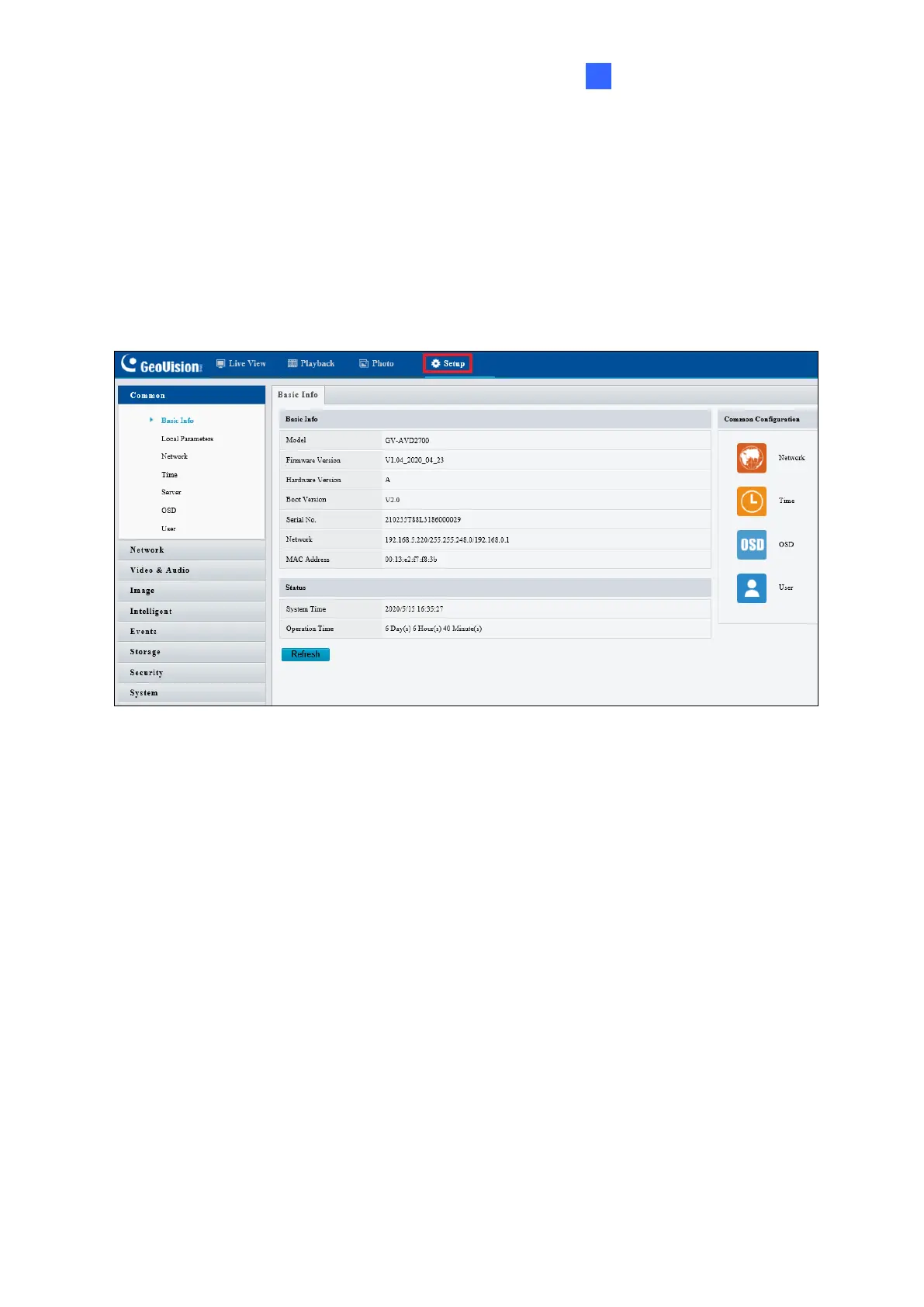
The Administrator can access and configure the GV-IP Camera through the network. Click
Setup at the top of the Web interface to access the following configuration tabs: Common,
Network, Video & Audio, Image, Intelligent, Events, Storage, Security and System.
Figure 3-1



 To Next Page