EasyManua.ls Logo

GeoVision GV-EBD4813 - Gv-Tvd4711

GeoVision GV-EBD4813
224 pages
Print Icon
To Next Page IconTo Next Page
To Previous Page IconTo Previous Page
Loading...
Introduction
63
1
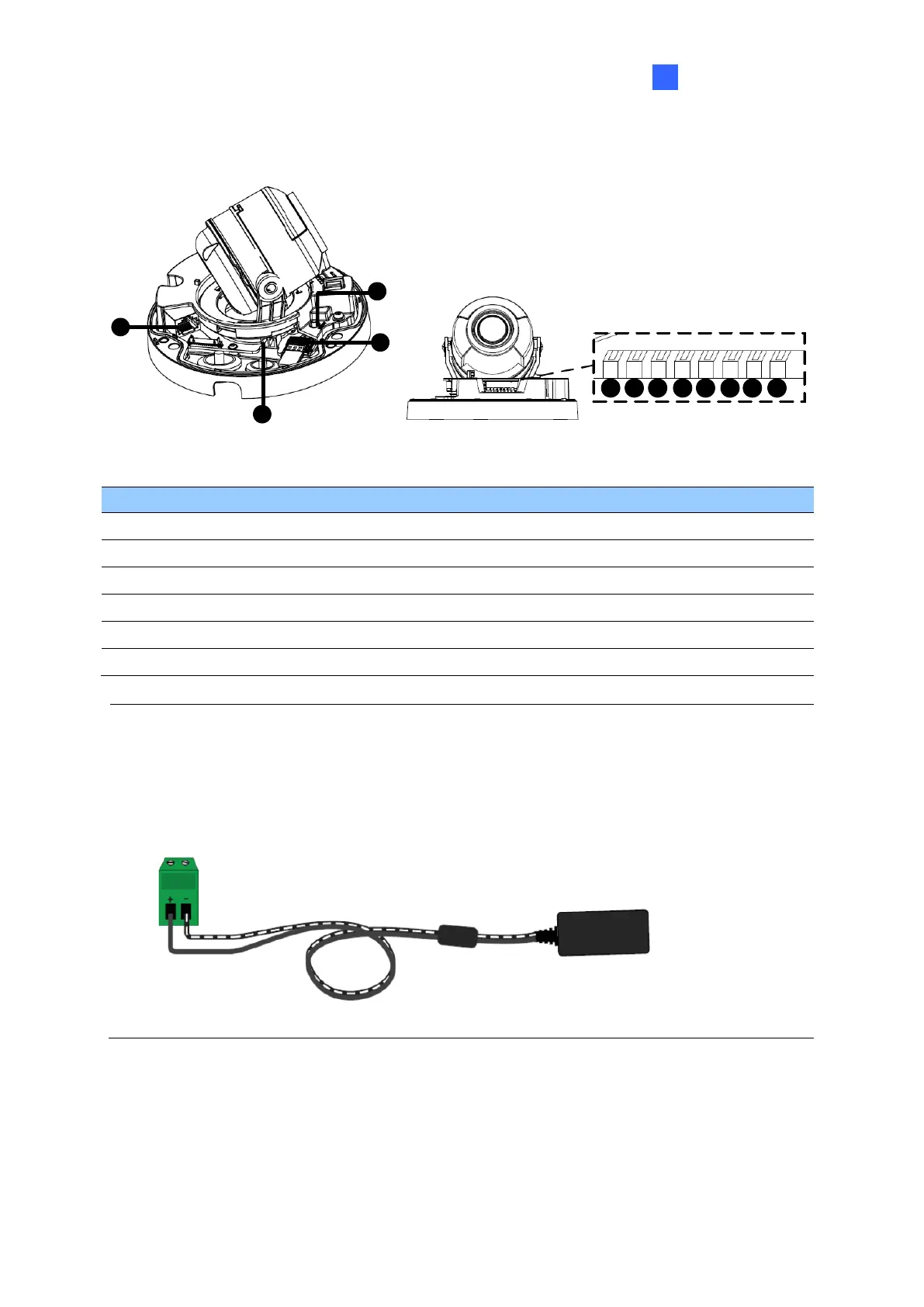
1.4.3.2 GV-TVD4711
1
2
3
4
6
7
9
10
5 8
11
12
Figure 1-83
No.
Description
No.
Description
1
Ethernet port
7
GND
2
Power port (2-Pin terminal block)
8
Digital Input
3
Micro SD card slot
9
GND
4
Default button
10
Audio In
5
Digital Output (N)
11
GND
6
Digital Output (P)
12
Audio Out
Note: There are two ways to supply power to the camera:
Use a Power over Ethernet (PoE) adapter to connect the camera to the network, and
the power will be provided at the same time.
Plug the power adapter to the supplied 2-pin terminal block by inserting the striped
wire to the right pin (-) and the black wire to the left pin (+), then insert the 2-pin
terminal block to Power Connector, No. 2.
Figure 1-84


Table of Contents

Other manuals for GeoVision GV-EBD4813

Related product manuals