130
3.3.3 Audio
Note this function is only applicable to audio-supporting models.
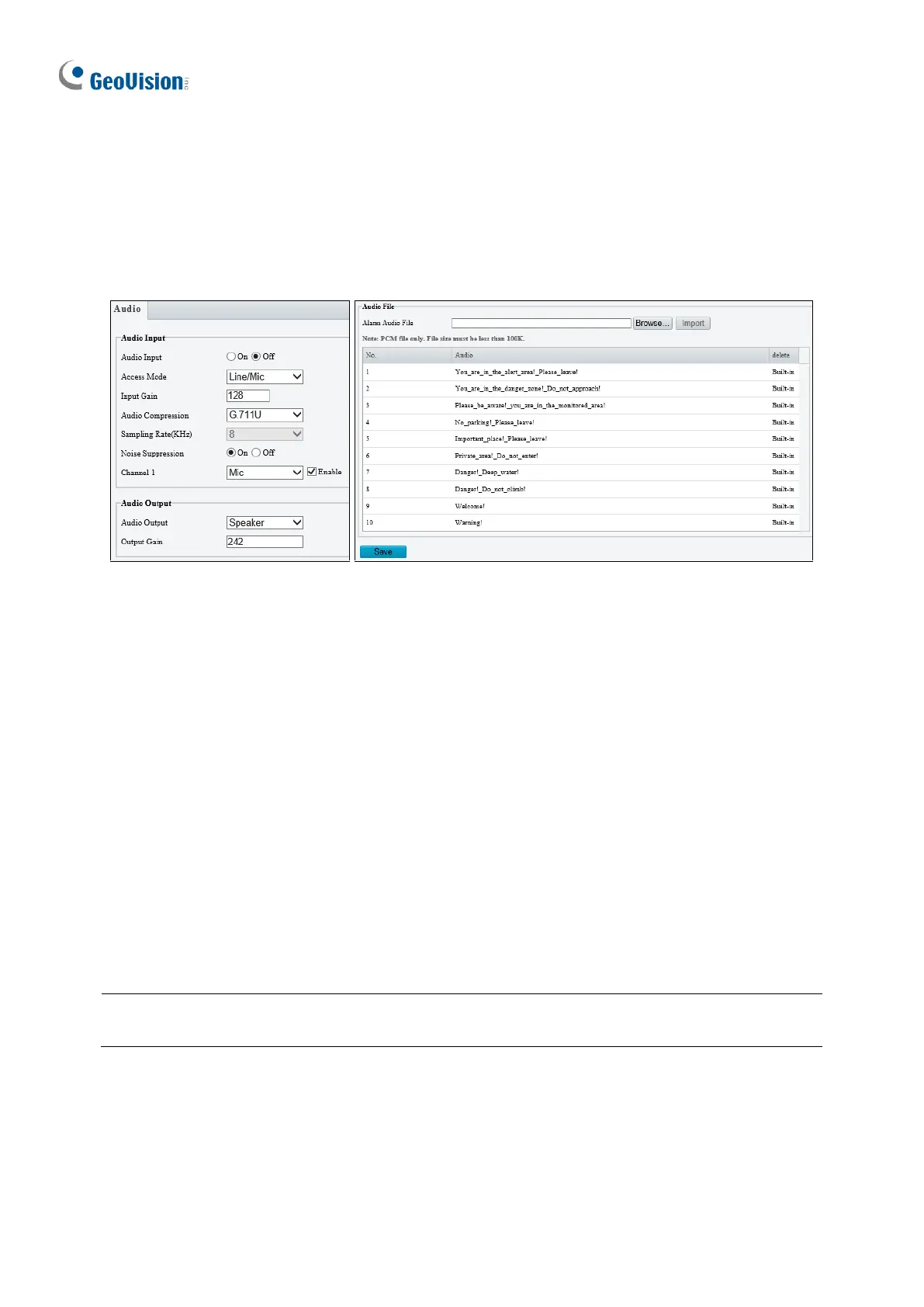
You can configure the audio settings of the camera.
Figure 3-17
◼ Audio Input: Select On to enable audio input.
◼ Input Gain: Set the audio signal amplification for sampling. The greater the gain, the
greater amplification.
◼ Audio Compression: Select an audio codec.
◼ Noise Suppression: Select On to reduce the noise of the audio.
◼ Channel 1 / 2: Click Enable to enable audio in through the camera’s built-in microphone
and/or Audio In wire(s) depending on the model.
◼ Audio Output: Select the source of audio output.
◼ Output Gain: Set the volume for audio output. The greater the gain, the higher the
volume.
◼ Alarm Audio File: For GV-TBL8804 only, select Browse to locate a custom PCM audio
file (max. 100KB), and click Import.
Note: For GV-TDR2700 / 4700, connection(s) to any software/application must be
reestablished when its audio input channel has been alternated for the change to take effect.








 To Next Page