62
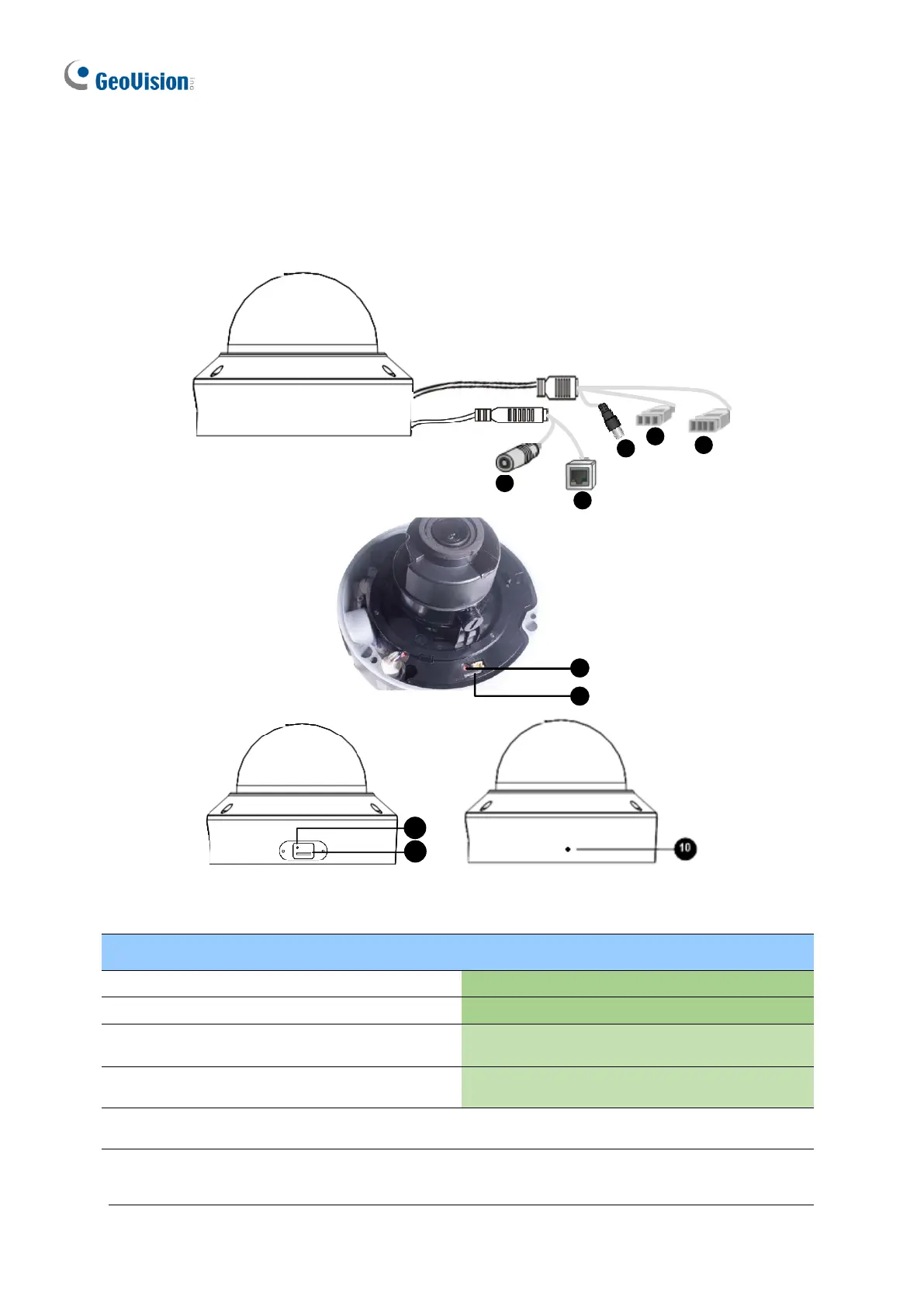
1.4.3 Overview
1.4.3.1 GV-AVD2700 / 4710 / 8710, GV-TVD4700 / 4710 / 4810 / 8710 /
8810
Power connector (DC 12 V)
Video output
(Not applicable to GV-TVD4700 / 8810)
Default button (For GV-TVD8810)
Audio input / Audio output / GND (Not
applicable to GV-TVD4700)
Micro SD card slot (For GV-TVD8810)
Alarm input (IN, GND) / Alarm output
(N, P) (Not applicable to GV-TVD4700)
Built-in microphone (For GV-
TVD8810)
Note: If the default button doesn’t respond after pressing for 15 seconds, reboot the
camera and try again within 10 minutes of rebooting.








 To Next Page