34
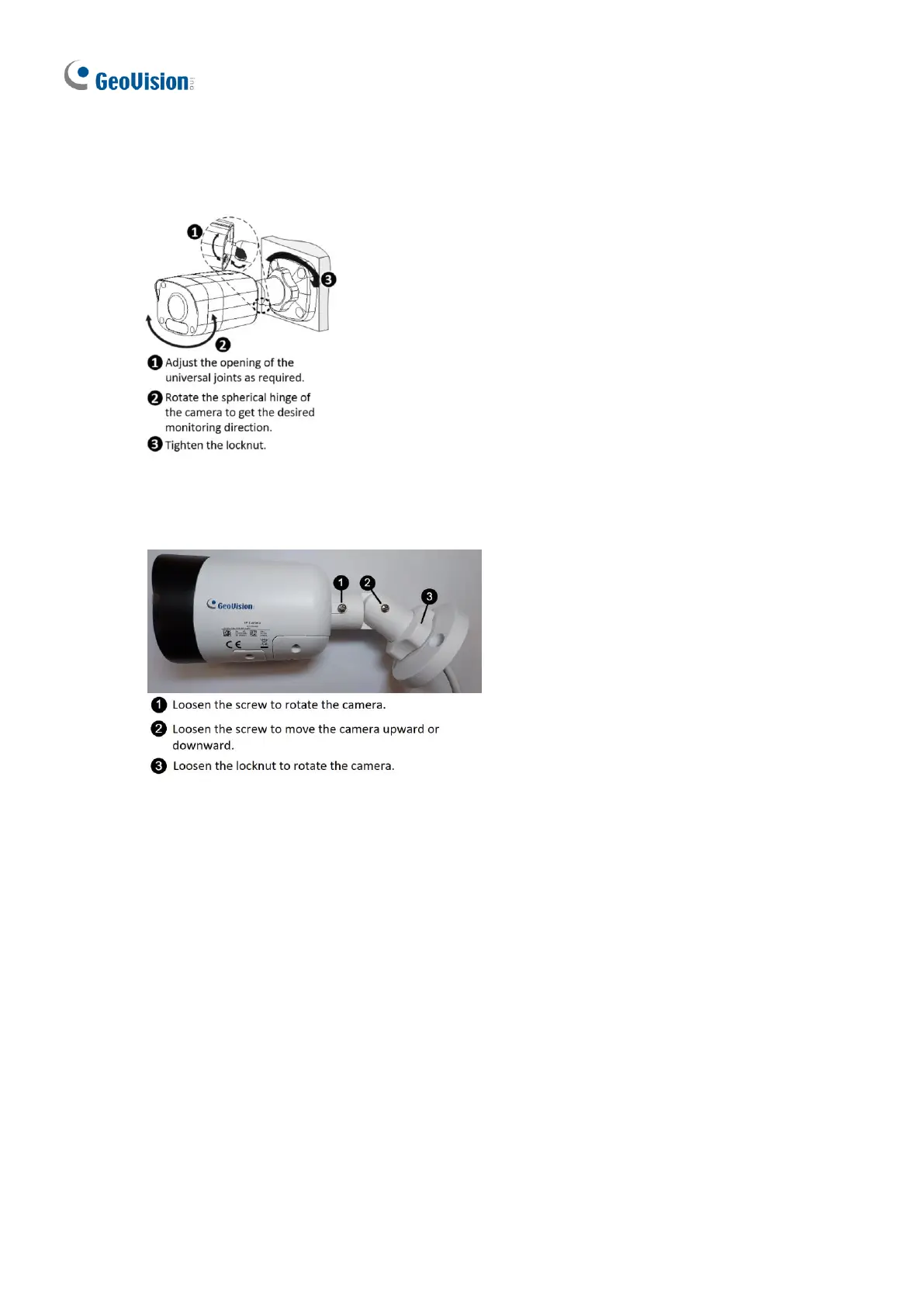
8. To adjust the monitoring direction:
GV-ABL2702 / 4711 / 4712 / 8712, TBL4700 / 4705 / 4710 / 4711 / 4810 / 8710 / 8804 /
8810, and BLFC5800
Figure 1-52-1
GV-TBL2705 / 4705 / 8804
Figure 1-52-2
For Open Installation
Lead the cables out from the open slot on the base before screwing the camera to the wall
as shown in Figure 1-51.
1.2.5 Optional Installation
For GV-ABL2701 Series / 2703 Series / 4701 Series / 4703 & TBL2703 Series / 4703, you
can optionally purchase the following accessories to fit your mounting environment:
⚫ GV-Mount502 for Wall Box Mount: see section 1.2.5.1.








 To Next Page