136
1. Click Start PTZ Limit to enable the function.
2. Adjust the view in such a way that it reaches the PTZ limit you want to set.
3. Click to set the position relative to the current dome view as a limit. For example, click
the at the top to set the upper limit.
4. Repeat Step 2 & 3 to set all limits as needed and click Save.
3.4.4 Remote Control
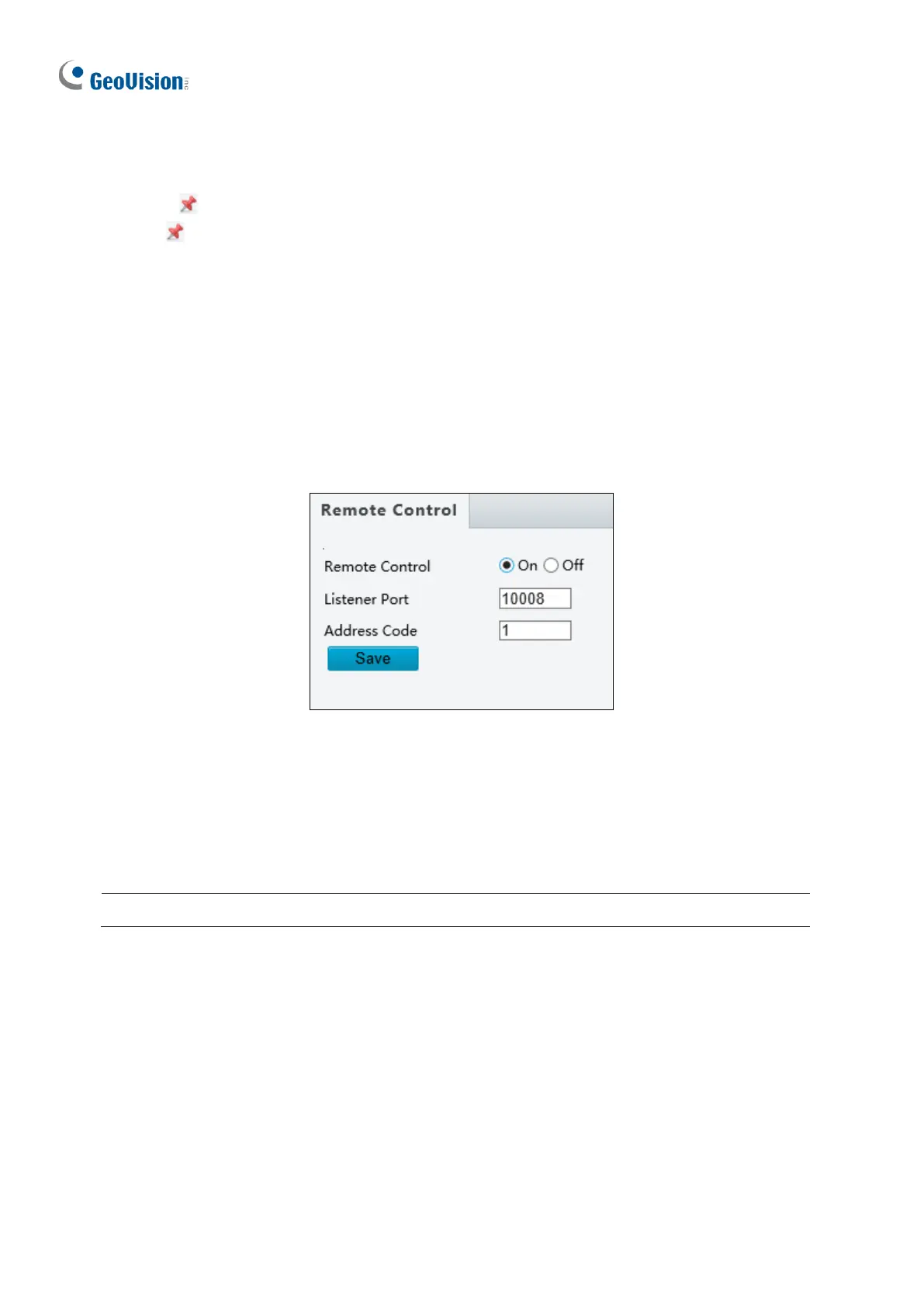
You can connect a third-party PTZ remote control program to your GV-IR IP Mini PTZ
Camera once this function is enabled.
Figure 3-24
1. Specify the Listener Port to which the third-party PTZ remote control program connects.
2. Assign an individual Address Code (between 0 ~ 255) to each PTZ remote control
program
3. Click Save.



 To Next Page