2.2 Accessing Live View
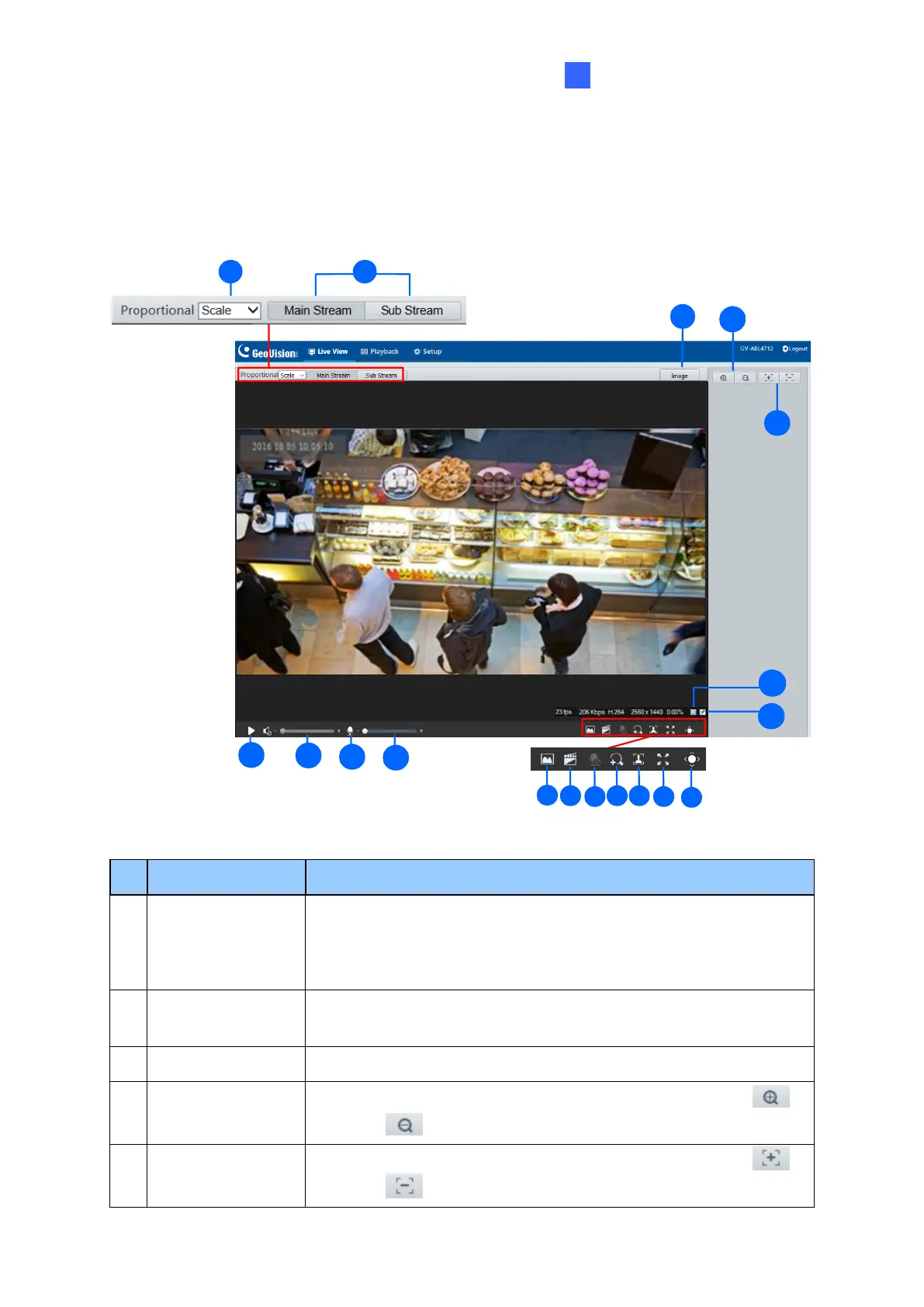
After logging into the camera, you will see the Home page as shown below:
1 2
4
17
15
5
18
3
6
7
8
9
10
11
12
13 14
15
16
Set the display ratio of the image.
•
Scale: display images by 16:9.
•
Stretch: display images by window size.
•
Original: display images in its original size.
Select a live video stream: main stream, sub stream or third
stream (when enabled).
Open the image setting page. – See 3.5.1 Image.
Only for models with motorized varifocal lens, increase or
decrease the camera’s optical zoom.
Only for models with motorized varifocal lens, increase or
decrease the camera focus.



 To Next Page