EasyManua.ls Logo

GeoVision GV-EBD4813 - Page 28

GeoVision GV-EBD4813
224 pages
Print Icon
To Next Page IconTo Next Page
To Previous Page IconTo Previous Page
Loading...
Introduction
15
1
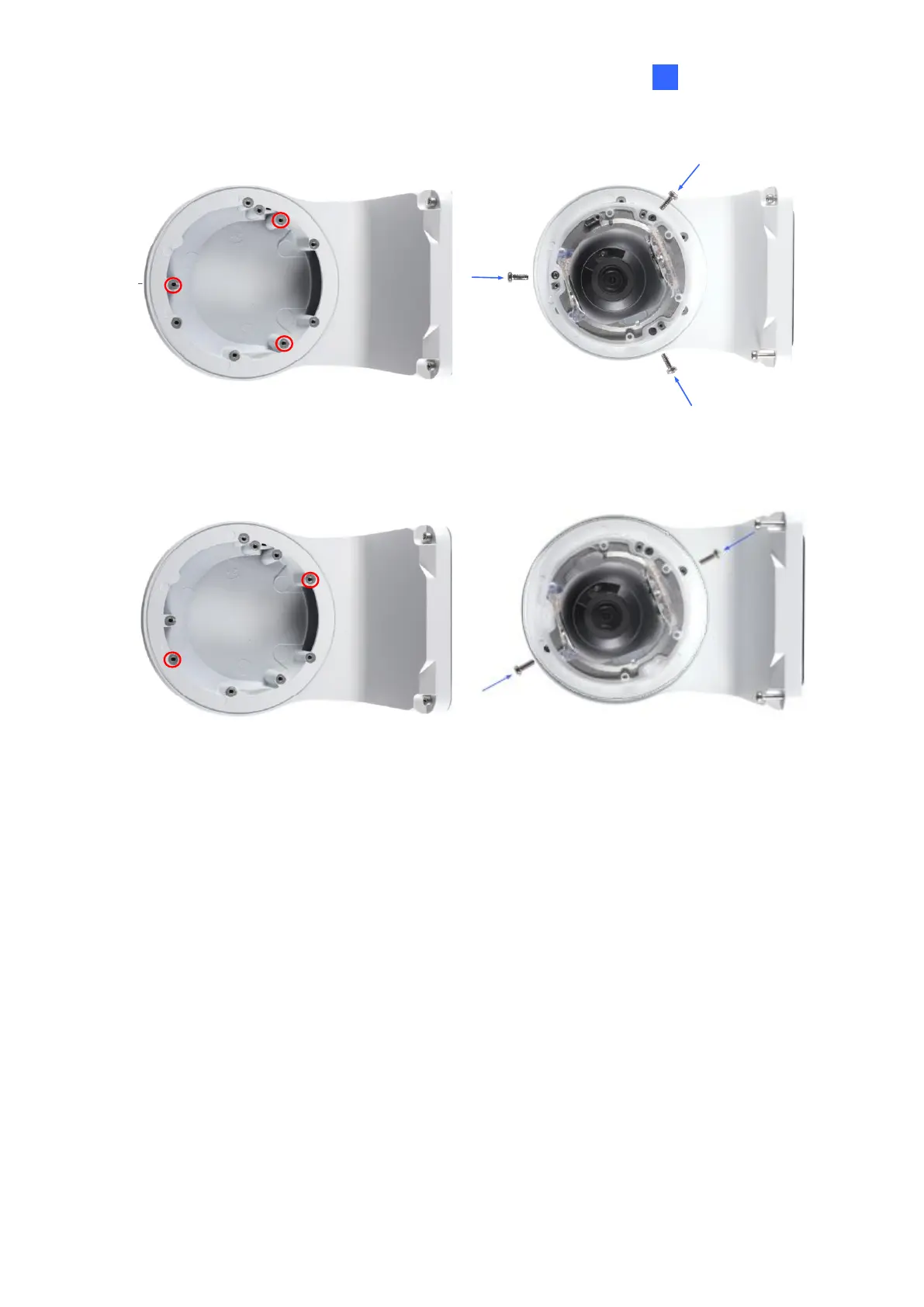
GV-ADR2701 / 4701
Figure 1-24
GV-ADR2702 / ADR4702 / TDR2700 / TDR2702 / TDR2704 / TDR4700 / TDR4702 /
TDR4703 / TDR4704 / TDR4803
Figure 1-25
8. Thread the Ethernet cable through the PG21 conduit connector and the power box as
shown in No. 8, Figure 1-26. Then connect the cable to the camera. To waterproof the
cable, see 1.8 Waterproofing the Cable.
9. Rotate the plastic ring to secure the conduit connector to the power box. Screw in the
cap as shown in No. 9, Figure 1-26.


Table of Contents