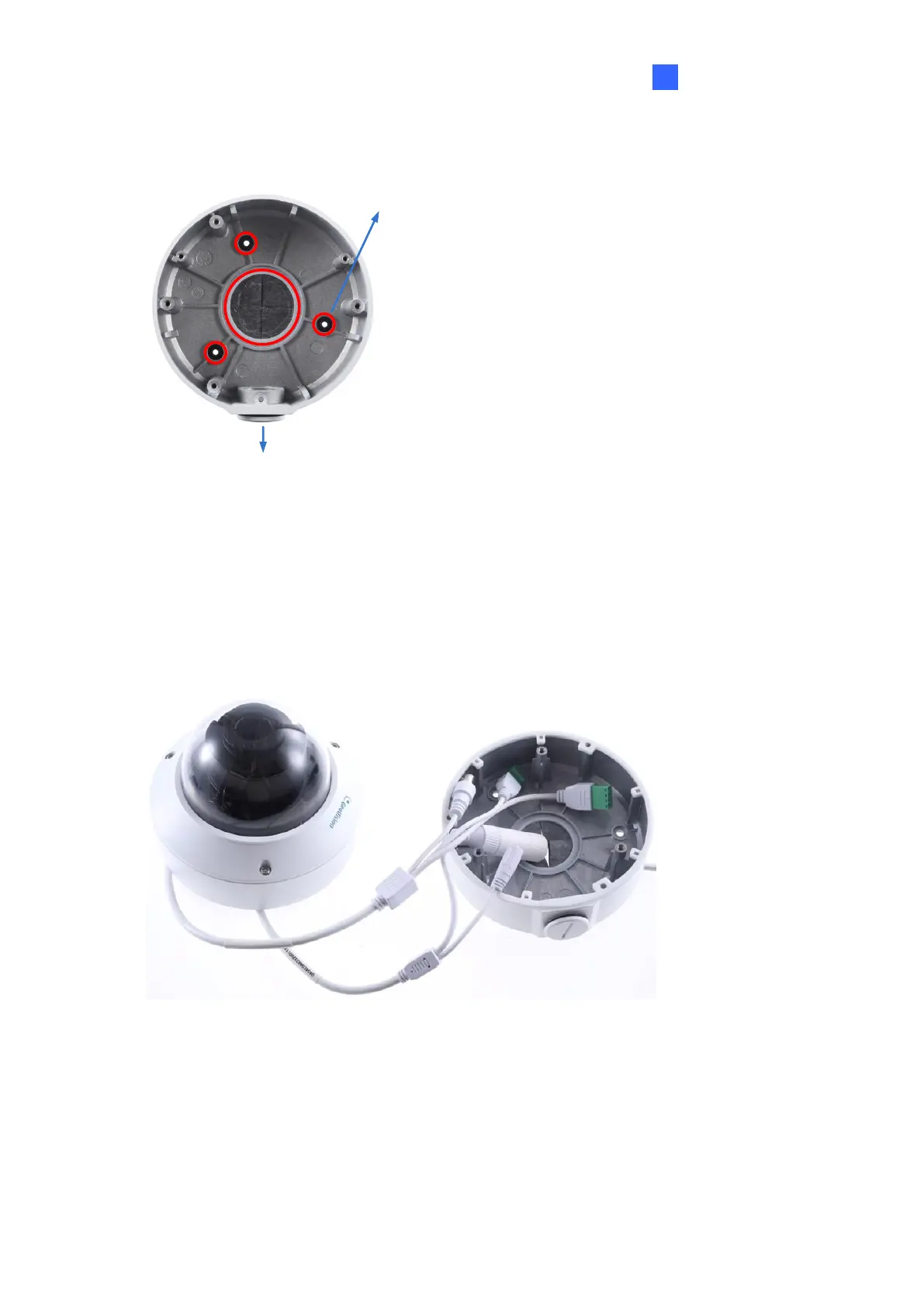
1. Attach the ceiling box to the ceiling and use a marker to mark the location for the center
socket and the screws. Make sure the knob points inwards.
Figure 1-96
2. Drill 3 holes according to the screw location. Then, drill a bigger hole at the center socket
location for the Ethernet cable.
3. Insert 3 screw anchors to the screw location and secure the ceiling box to the ceiling with
3 long screws.
4. Thread the Ethernet cable through the center socket, connect other wires and fit the
camera cable into the ceiling box. See 1.8 Waterproofing the Cable.
Figure 1-97
5. Unscrew the transparent dome cover with the supplied torx wrench.








 To Next Page