Measurement
CMD instrument is designed both for manual spot measurement and for
continuous measurement. The position can be entered manually or from GPS. It is
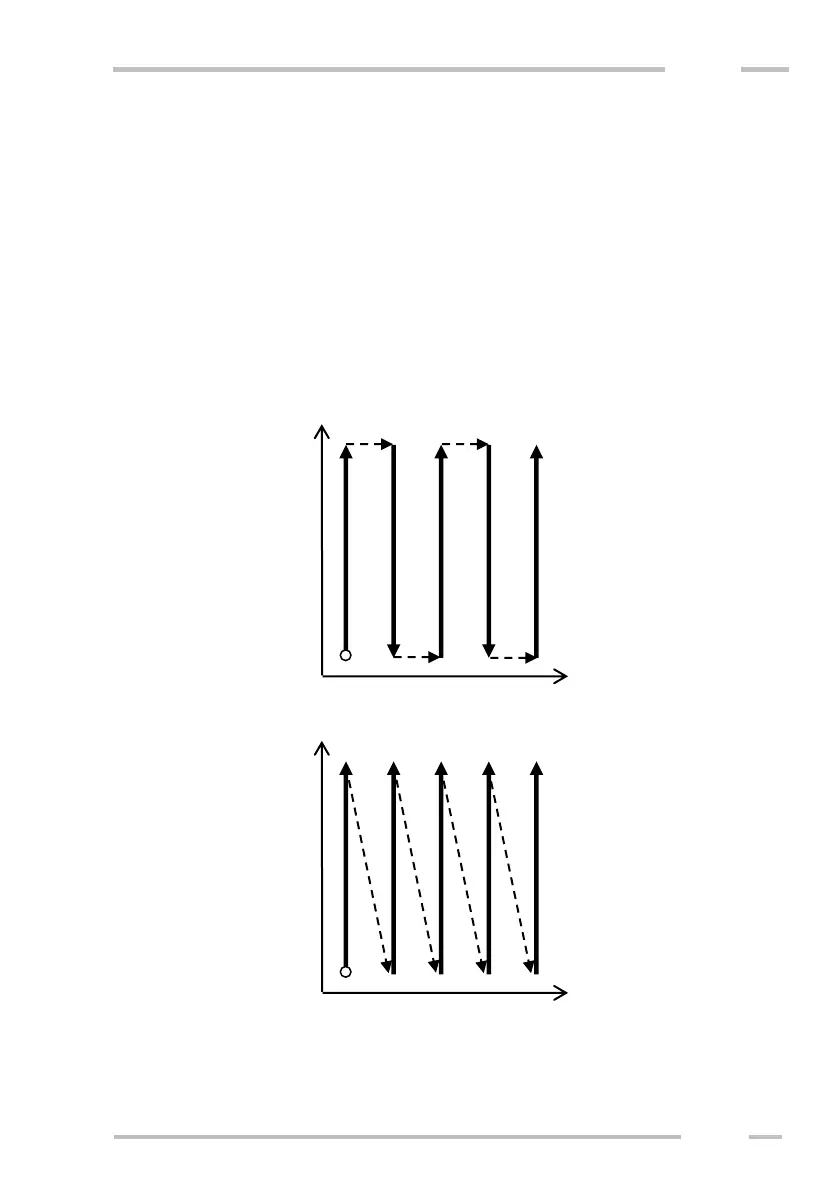
possible to measure both continuous 2D areas and individual lines. The direction of
measured lines can be uni- or bi- directional. See the picture below.
It is useful to charge the battery and to delete former files from the memory
before a new measurement is started.
The x axis means line number and the y axis means station on the line. It is
possible to skip, to re-measure or to comment individual points currently.



 To Next Page