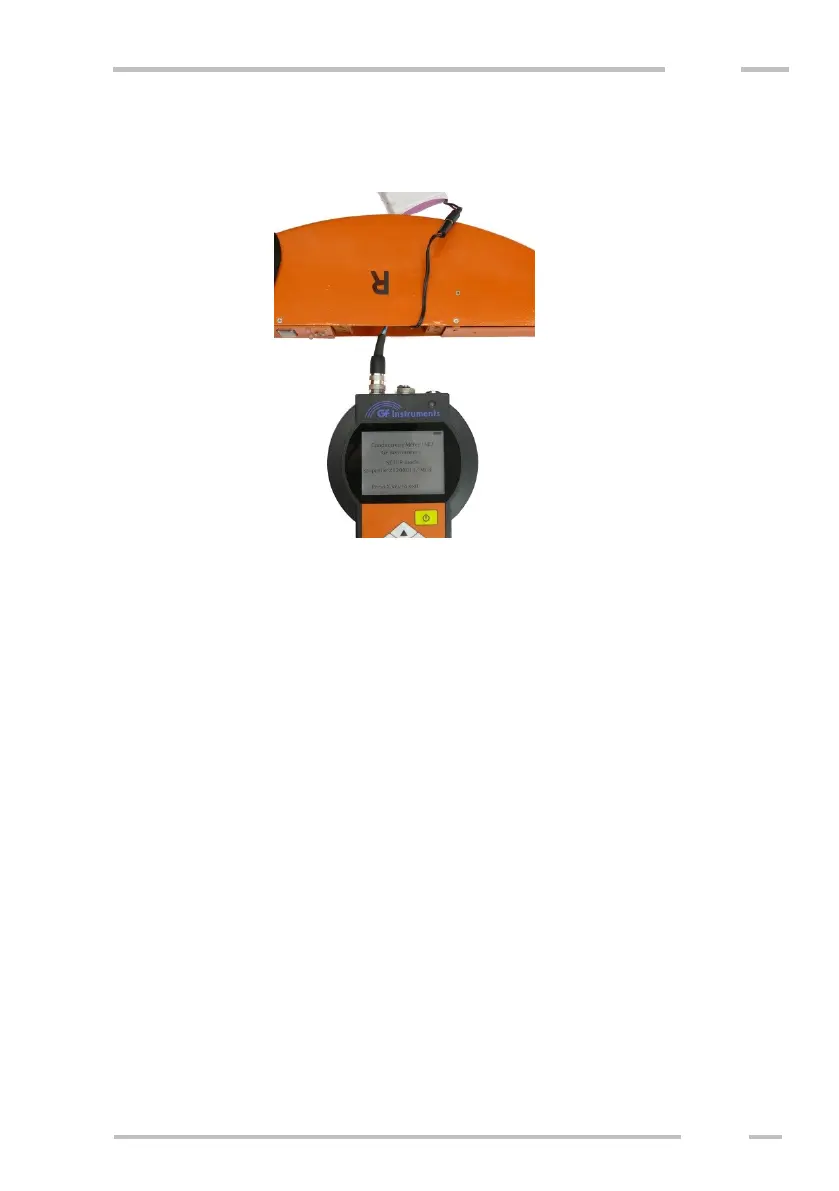
Connect cable to the Control Unit probe connector, as shown in the figure
below. After upgrade finish connect cable back and fix the connector, include the
battery and fix the cover.
Combining newer - older control unit and
Probe
If older control unit (older than v2.0) or older probe (older than v2.0) is
connected with newer probe/control unit, the system works as both control unit and
the probe are older. Operating differs in making User calibration and using
different measurement modes. See the manual enclosed to the older unit.
Differences:
- Before measurement the operator is asked to set the measuring mode
(precision / response)
- If you are using the new probe with CU v1.4 or older, calibration “F-
Ground” is applied as “Factory” calibration and calibration “F-1m” is
applied as “User 1” calibration. Do not change the User-1 calibration.
- Calibrating procedure of the instrument differs if you are using CU and
probe v2.0 or older.
- It is not possible to modify only part of calibration of new probe, if the
calibration was created using older control unit. Modifying any part of
calibration will destroy the whole calibration (both high and low depth
range) until you remeasure all calibration points and set all conductivity
values again.



 To Next Page