14
6 Connecting external devices
The following explains how to connect external devices to
terminals X to X29 of the door control.
Danger to life due to electric shock!
Improper installation may result in death or severe injury from
electrical current.
▪ Onlydoorinstallationtechniciansorqualiedelectricians
should carry out the electrical installation.
▪ Shutothevoltagetoallcables.
Damage to components caused by penetrating moisture!
The NEMA protection class must be maintained.
▪ Prevent moisture from penetrating the door control.
▪ All penetrations from the top will void warranty.
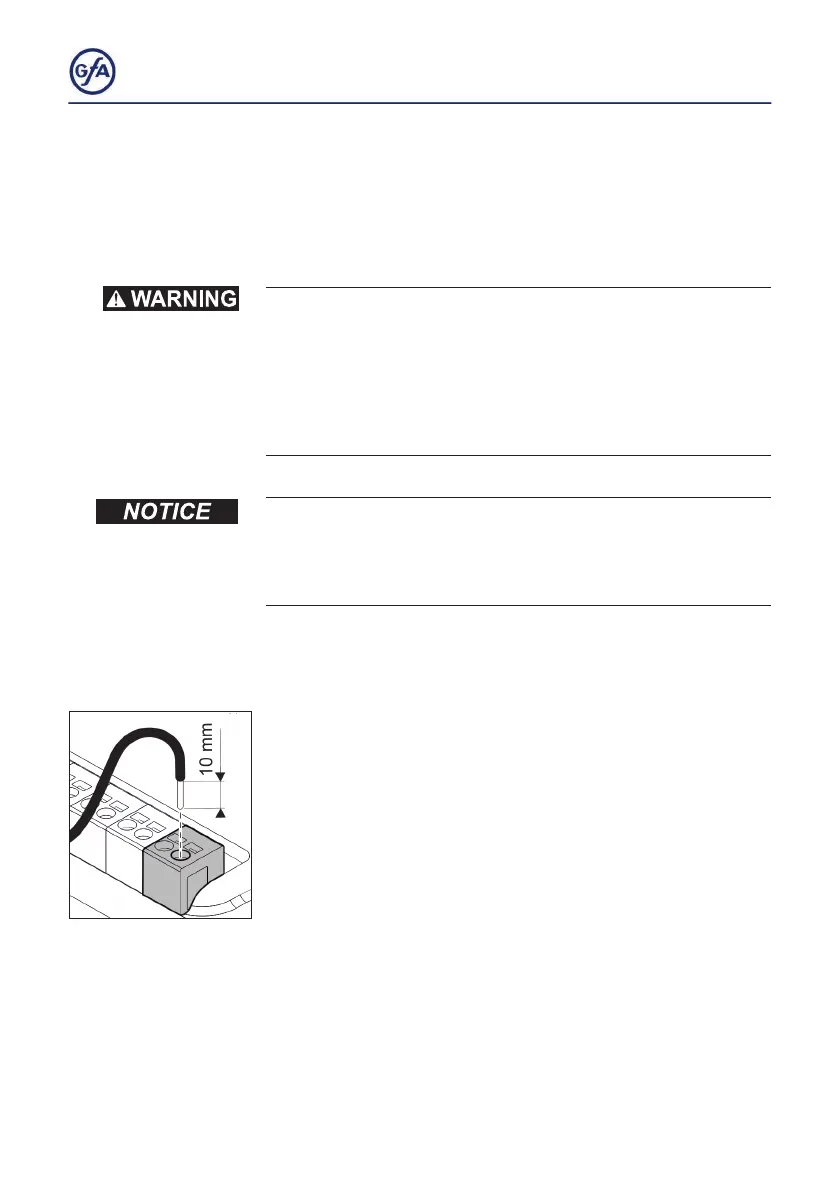
Terminal connections X - X29
▪ The terminals X-X29 are push-in terminals.
▪ To connect a wire remove 0.4“ (10mm) of the isolation.
▪ Push the wire into the hole.
▪ To deconnect wires push a screw driver into the rectangle
opening then remove the wire.



 To Next Page