25
7 Settingthenallimitpositions
Thefollowingexplainshowtosetthenallimitpositionsofthe
door at the initial commissioning.
If you have already connected a safety edge, the pre-limit is
automaticallysetwiththenallimitpositions.
Youcancorrectthenallimitpositionslaterwithmenuitems
1. 1
- P 1.4.
Youcancorrectthenallimitpositionofthesafetyedge’spre-limit
with menu item
1.5
.
Settingthenallimitpositions
1. Turn on power:
▪ Turn on the power using the main switch for the following steps.
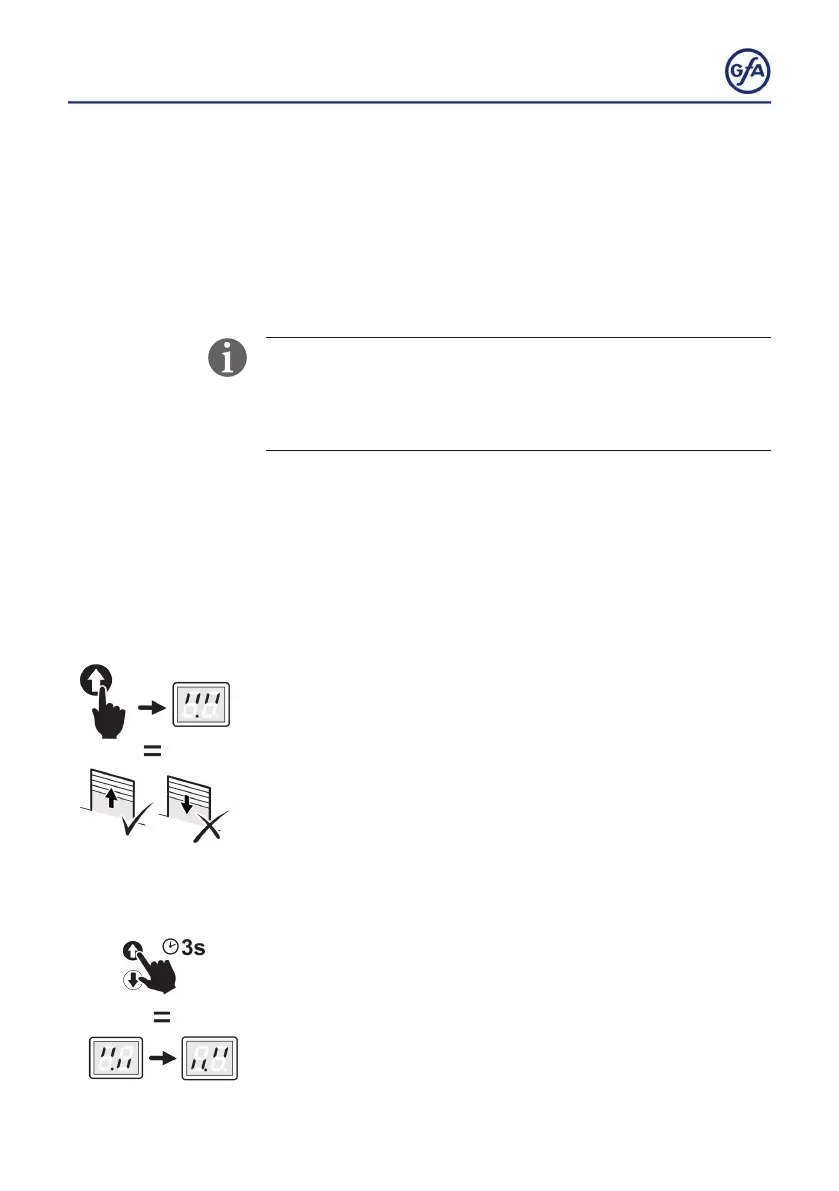
2. Checking the output rotating direction:
▪ Press the OPEN button.
▪ If the door moves upwards, the output rotating direction is
correct. Proceed with step 4.
▪ If the door moves downwards, change the output rotating
direction. Proceed with step 3.
3. Changing the output rotating direction:
Carry out this step only if the door moves downwards after step 1.
▪ Press the OPEN and CLOSE buttons simultaneously for 3
seconds.Thedisplaychangesasshowninthegure.



 To Next Page