26
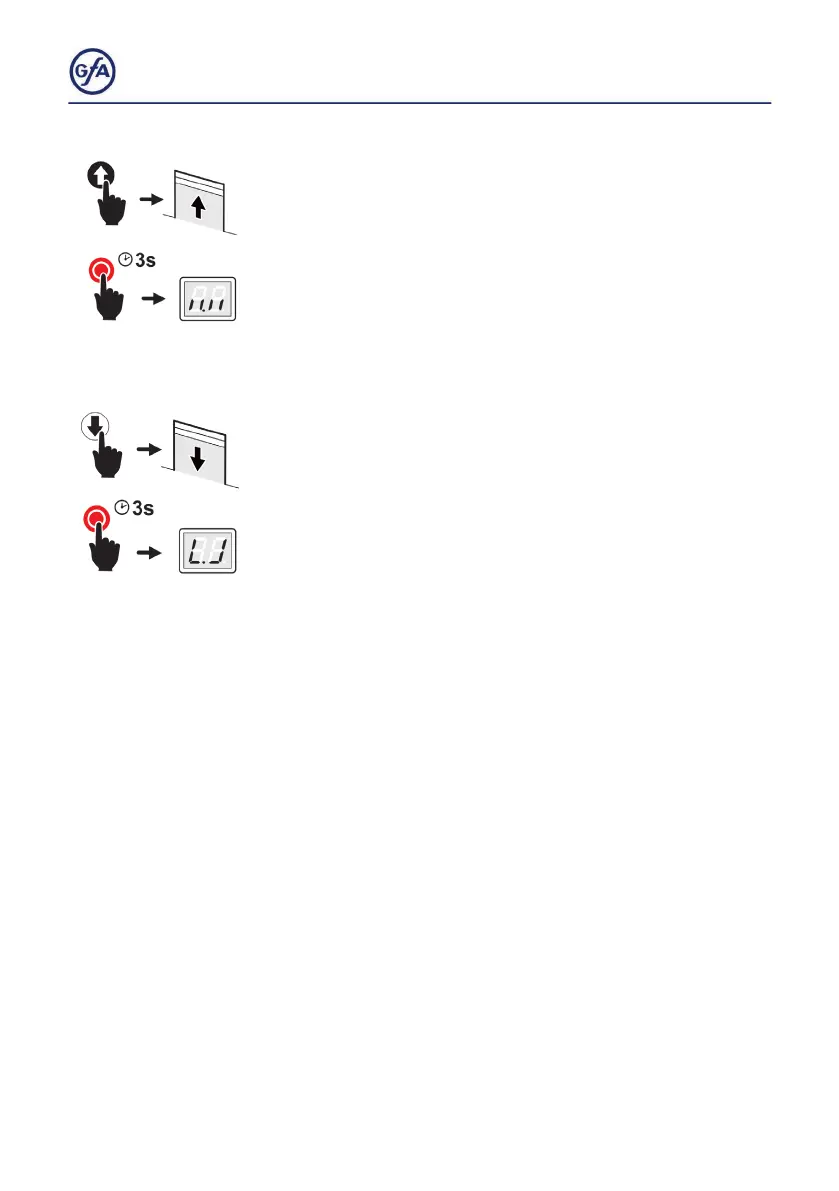
4.SettingthenallimitpositionOPEN:
▪ Press the OPEN button until the door has reached the
desired position. Press the Button for at least one second.
▪ SavethenallimitpositionOPENbypressingtheSTOP
button for 3 seconds. The display changes as shown in the
gure.
5.SettingthenallimitpositionCLOSE:
▪ Press the CLOSE button until the door has reached the
desired position. Press the Button for at least one second.
▪ SavethenallimitpositionOPENbypressingtheSTOP
button for 3 seconds. The display changes as shown in the
gure.
Settingthenallimitpositioniscomplete.Youcannowoperate
the door in hold-to-run mode and program the door control.



 To Next Page