21
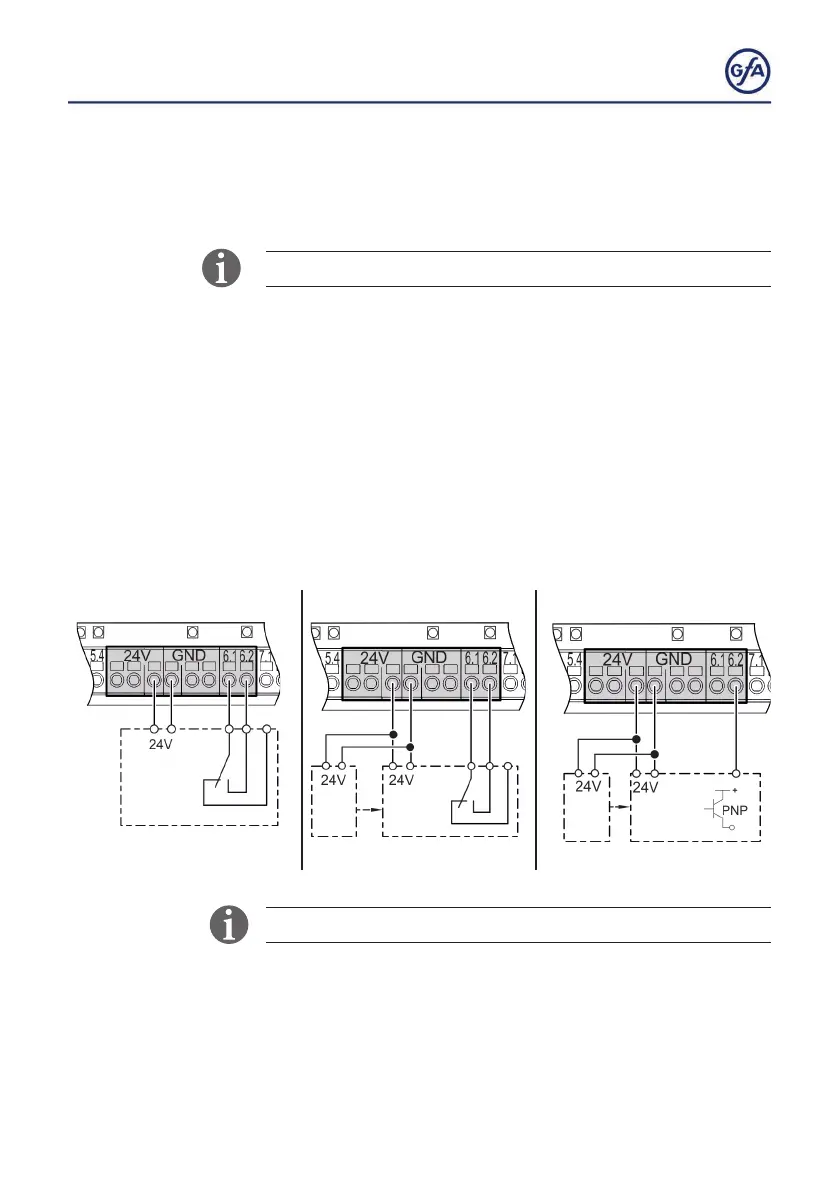
X6: Photocell
Youcanconnectareectiveorthroughbeamphotocellto
terminals X6.1/X6.2 as well as 24V and GND.
Use only photocells of mode „light switching“.
To operate a photocell at the door, select option
.3, .4, 1.3 or 1.4
under menu item 0.1 (operating mode).
You can set further photocell functions under
menu item
2.4.
▪ Install the product according to the manufacturer‘s instructions.
▪ Several examples of photocells are shown. Connect your
product accordingly.
▪ After completion of the electrical installation, activate the
photocell with menu item
0.1 (operating mode).
Reectivephotocell Through beam photocell I Through Beam photocell II
When the photocell is activated, fault indication F 2.1 appears.



 To Next Page